Create a guardrail to define how to filter content for LLM models. Guardrails are either:
- Input guardrails, which check content before it goes to the LLM model.
- Output guardrails, which check content that has been generated by an LLM model.
You can create as many guardrails as you need.
You need an administrator or publisher role on your team to create guardrails. Guardrails must be published before they can be used by your chatbot.
To create guardrails, you must have:
- Generative AI configurations enabled for your chatbot.
- Guardrails enabled for your chatbot.
- Scripts to connect guardrail detection to your chatbot.
Contact inGenious AI support for help with adding guardrails to your chatbot.
Create a guardrail
To create a guardrail:
- Click Manage > More in the left navigation, then click Guardrails.
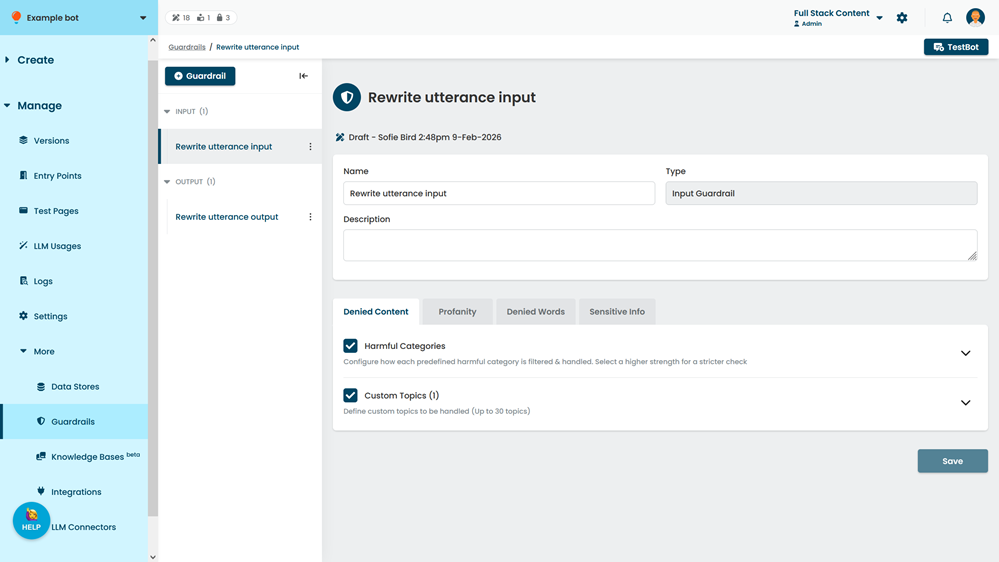
- Click + Guardrail.
- Select the guardrail Type.
This can't be changed once the guardrail is created, but you can duplicate a guardrail into a guardrail of another type. - Type a Name for the guardrail.
You can change this later. - Click Create.
- Configure the guardrail filters:
- Denied content (harmful categories)
- Denied content (custom topics)
- Profanity
- Denied words
- Sensitive info
- Grounding validation (output guardrails only)
- Relevance validation (output guardrails only)
- Click Save.