A conversation is a collection of passages and logic that your chatbot will send to chatbot users.
Passages and logic in the same conversation share a context when responding to your chatbot user's questions, so the chatbot can match the question most relevant to the current chat. Usually, the passages and logic in a conversation are closely related. For example, each of these could be its own conversation:
- Responses about fees.
- Responses about products or services.
- Responses to handle customer feedback.
- Responses to frequently asked questions.
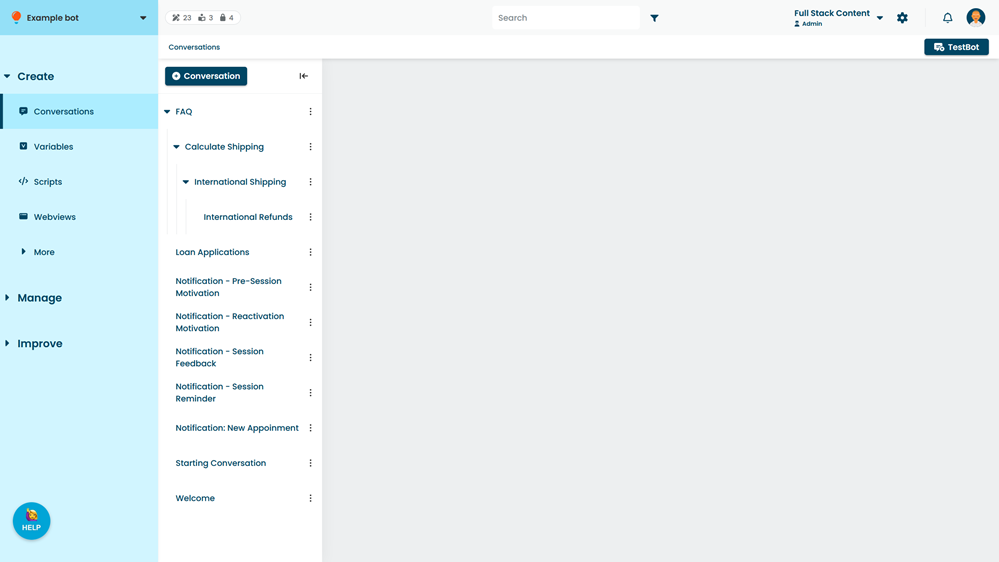
You can nest conversations inside one another as child conversations to create additional layers of context. Each child conversation creates its own context layer and also has the context of its parent. If the chatbot can't find a suitable response in the child conversation, it can check the parent conversation for a response that is less specific.
For example, you may have a conversation with general information about your services and create child conversations for more specific responses on each service you offer. If the chatbot user is in a child conversation about a specific service and asks a more general question about your services, the chatbot can use the context of the parent conversation to respond.
Grouping related content in conversations allows you to create content that is more responsive and natural rather than relying on pre-structured flows, so your chatbot user can drive the chat. You can control how and when your chatbot users switch conversations using resumability, and configure actions your chatbot performs whenever it switches conversations.
To open conversations:
- Click Create in the left navigation, then click Conversations.
You can:
Conversation actions
When a chatbot user enters a conversation, you can perform actions such as saving values to variables, adding or removing tags, or scheduling notifications. Conversation actions are triggered before any passage or message actions.
See Add actions or tags to a conversation.
Resumable and locked-in conversations
Conversations and passages can be resumable, allowing chatbot users to ask follow-up questions and get help without losing their place. See Make a conversation resumable.
Conversations can also be locked to ensure specific chatbot user groups only see relevant content while they're in that conversation. See Lock or unlock a conversation.