Chatbot conversations feel more natural when the chatbot can respond as if it remembers what has been discussed so far. If a chatbot user has been talking about their personal account and then asks about credit card applications, they don't want to be asked if they mean a business account. But sometimes choosing the most appropriate response relies on information that the chatbot user gave much earlier in the conversation.
We could create a flow of branching triage passages, or questions in a tree of conversation contexts, but that's a lot of maintenance and potential duplication. We want the chatbot to be able to remember and use information the chatbot user has given it without having to re-ask it, and without us creating a lot of duplicate content.
To achieve this, we use:
- A placeholder called a variable, which is designed to hold values specific to a chatbot user.
- A passage type called logic, which can start different passages based on conditions you define.
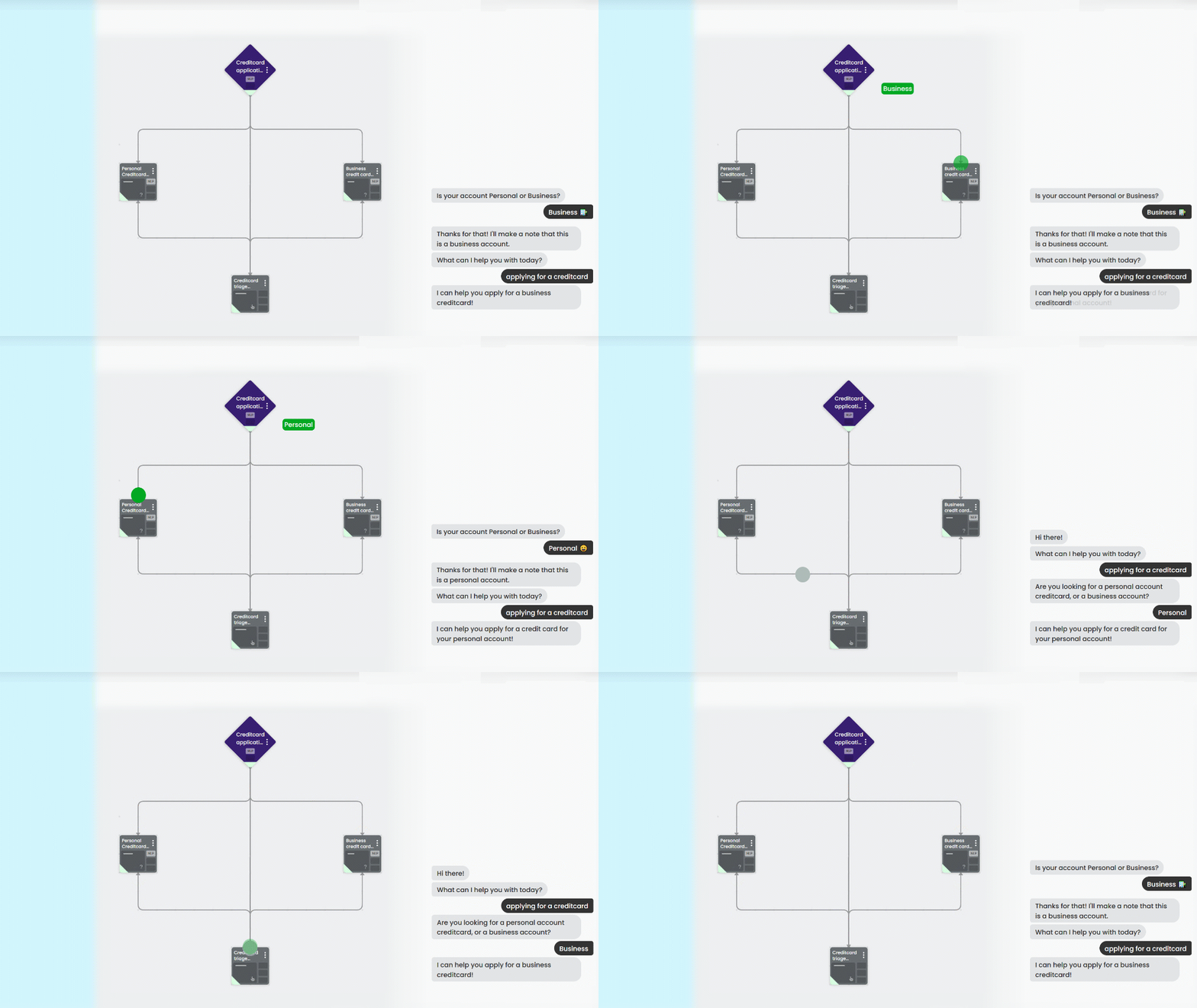
In this guide, we'll start one of two credit card application passages depending on whether the chatbot user's account type is business or personal. We're going to:
- Create the variable we'll use to store our chatbot user's account type.
- Create the passage where we ask their account type.
- Store the chatbot user's account type to our variable.
- Create some passages to respond to the business and personal applications.
- Create a logic to start the correct passage based on the account type variable.
- Add some inbound questions to the logic so that general credit card application questions will be directed appropriately by the logic.
- Add a triage passage that assigns the variable and starts the right passage in case the variable was not set.
To start, let's create our variable.