In order for the logic to direct the conversation flow, we need the chatbot to start the logic. We can use any method that we normally use to start a passage, including buttons, Quick Replies, scripts, questions, and other logic. In this guide, we'll use an inbound question.
Logic can have inbound questions just like regular passages. When logic matches a question, instead of sending message content, it uses the conditions to decide which passage to start.
Our existing application passages already have questions specific to the account types, so we'll make logic respond to more general credit card application questions:
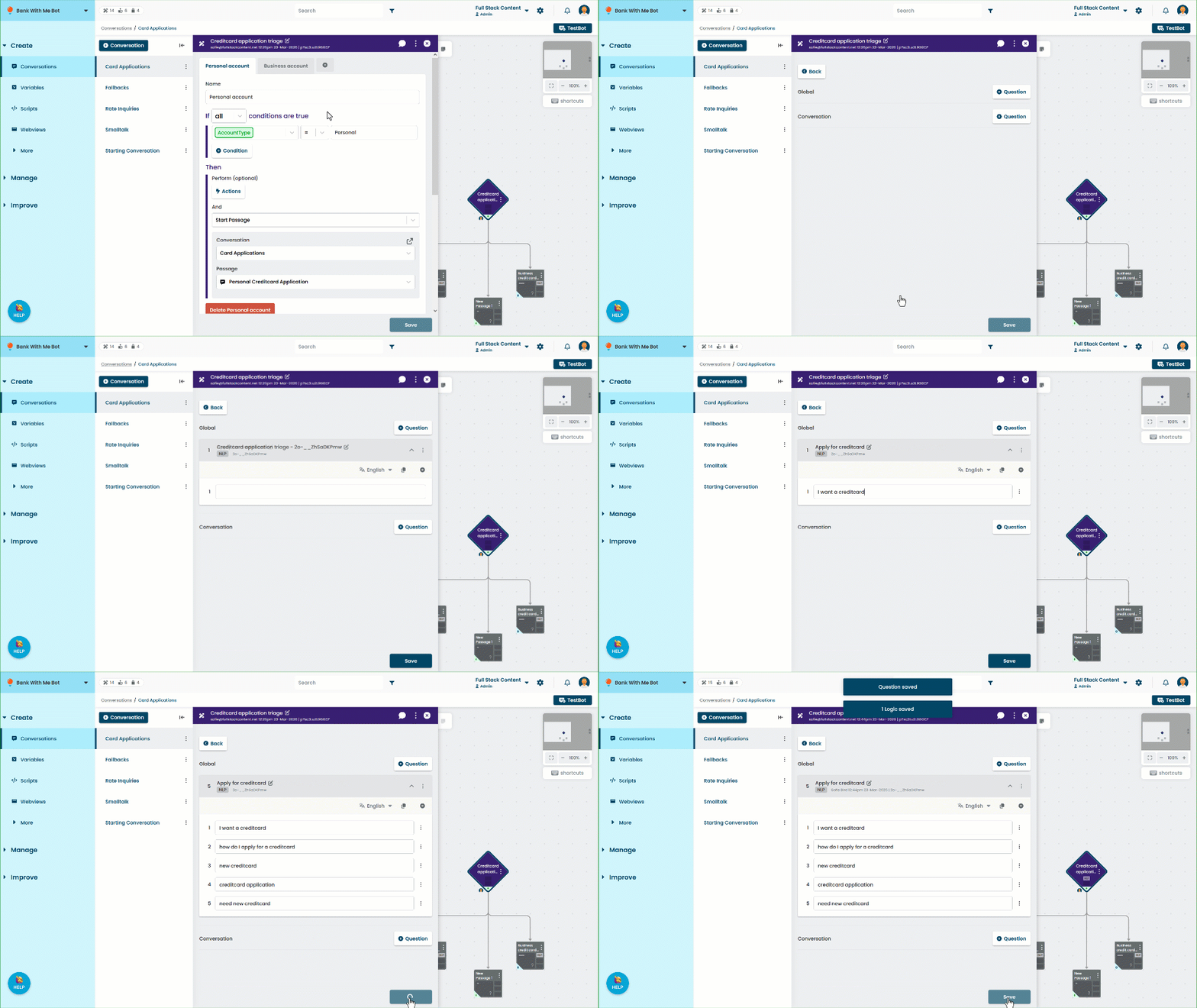
- Click Create in the left navigation, then click Conversations.
- Click the card applications conversation, then click the logic you created.
- Click Inbound Questions.
- Add a Global question.
- Type some more general training phrases for credit card applications.
Add at least five training phrases. - Click Save.
Let's cover what we've achieved so far:
- If our chatbot user asks about a credit card application for a specific account type, the inbound questions for the application passages match, and the chatbot starts the passage for that account type.
- If the chatbot user asks a more general credit card application question, the inbound question of the logic matches, and the logic starts the appropriate passage based on the chatbot user's account type variable.
To the chatbot user, it feels like the chatbot has remembered an answer they gave earlier, and is responding naturally to the conversation.
But what if the AccountType variable hasn't been set?
Because our logic passage has global inbound questions, the chatbot user might ask the question so early in the conversation that they arrive at the logic without ever seeing our welcome passage where we asked their account type. Let's take care of that with one more passage.