A variable is a placeholder that you can use to store a value for a chatbot user. Each variable is created to hold one specific piece of information, like a name or option selection.
The variable's value is assigned by actions that are triggered by the chatbot user's interaction with your chatbot. If the chatbot tries to use the variable before a value has been assigned, it will use a default value, or a blank value if there's no default.
In this guide, we're using a variable to store the chatbot user's account type so the chatbot can start the appropriate passage for that account type. If the chatbot user hasn't told the chatbot their account type yet, the chatbot will need to ask for it.
We'll create this variable with no default value, which means it will be blank until a value is assigned. We will configure the logic so that if the variable has a value, the conversation goes to the appropriate passage, and if the variable is blank, the chatbot asks for the user's account type.
Let's create a variable for our user's account type:
- Click Create in the left navigation, then click Variables.
- Click + Variable.
- Type AccountType as the name for your variable.
You'll use this name to add the variable to your chatbot content. Variable names should be short but descriptive, and can use letters, numbers, spaces, and punctuation.
You can change a variable's name later if you need to. - Click Create.
- In the Description field, type User's account type (business or personal).
- Click Save.
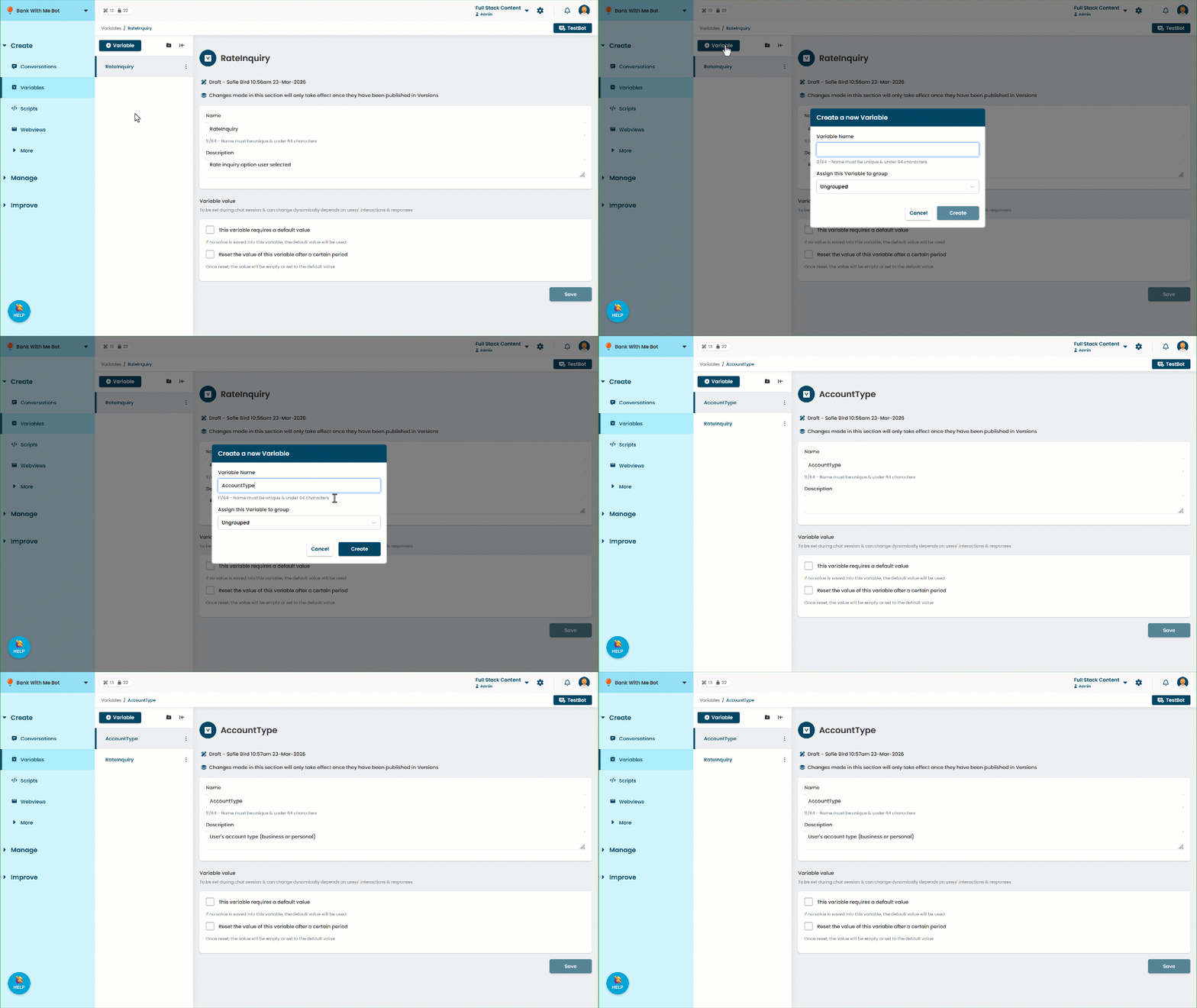
We've created a variable to capture our chatbot user's account type. Now let's create the passage where we'll ask the chatbot user their account type so we can store the value.