Change your default entry point to change which passage is sent to users the first time they interact with your chatbot.
You can also create custom entry points for certain URLs or for special entries such as QR codes.
To change your default entry point:
- Click Manage in the left navigation, then click Entry Points.
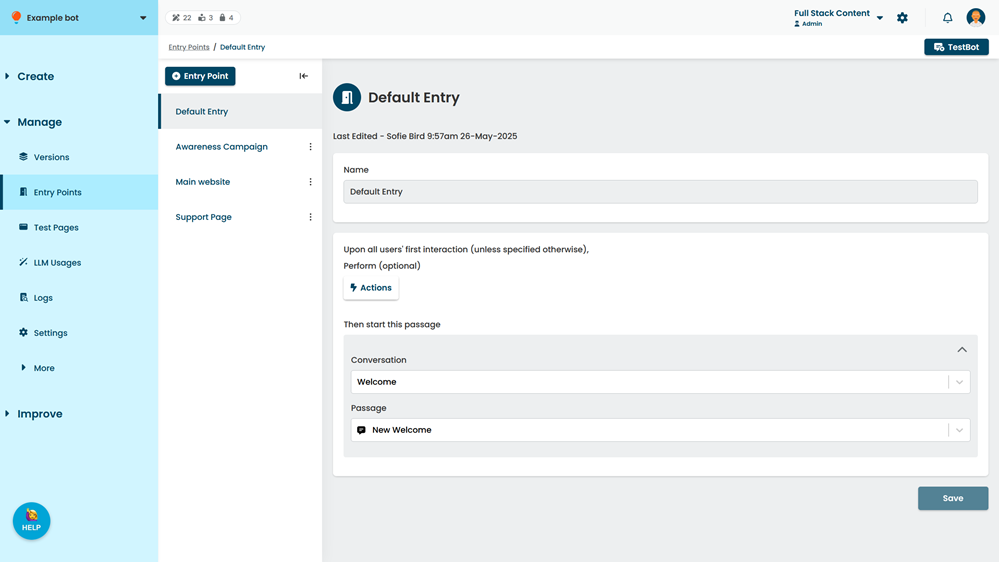
- Click Default Entry.
- If you want to perform actions when this entry point is triggered, click Actions.
- Select the Conversation and Passage to send your user.
A preview of the passage is displayed. You can also open the passage in a new tab. - Click Save.