Create a broadcast to send messages on a specific topic to chatbot users who have opted in to receive them.
Before you create your broadcast:
- Create a broadcast topic that defines the theme of your messages and their frequency.
- Create a broadcast opt-in message so chatbot users can opt-in to receive your broadcast.
To create a broadcast for a one-time or recurring topic:
- Click Create > More, then click Broadcasts.
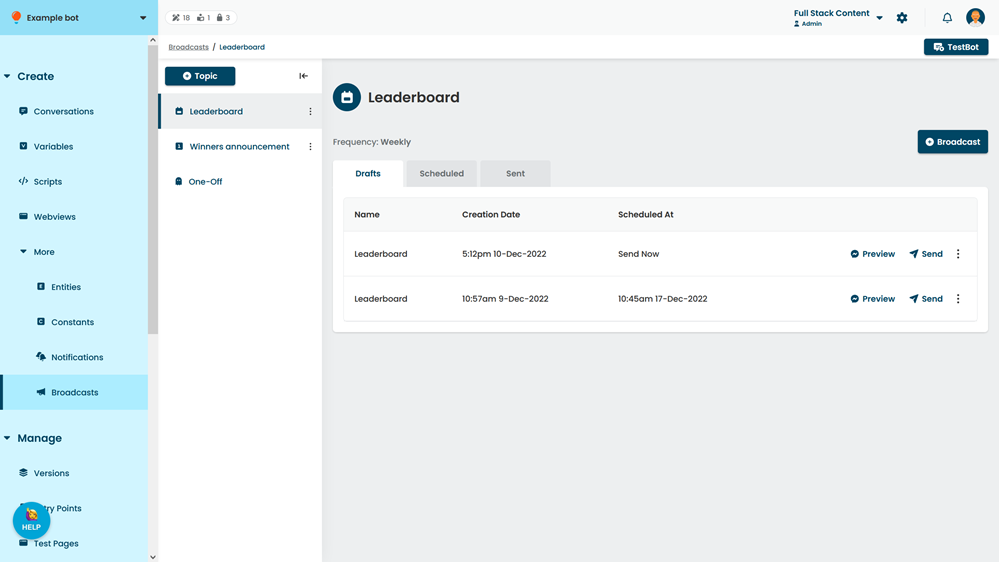
- Click the topic you want to create a broadcast for.
- Click + Broadcast.
- In the Drafts tab, click the new broadcast.
- Type a Name for the broadcast.
The name will not be shown to your chatbot users.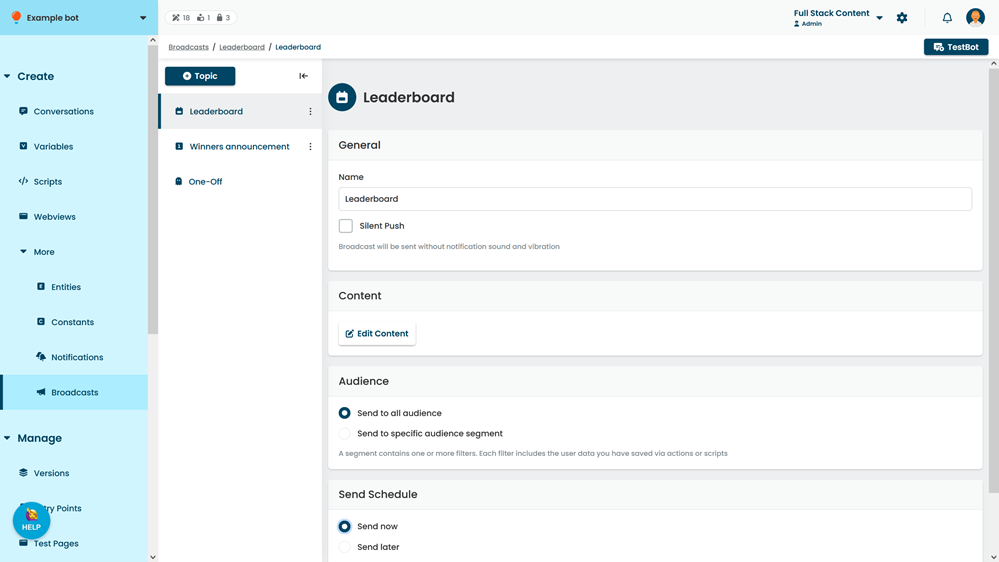
- If you want to send the broadcast without an alert sound or vibration, select Silent Push.
The broadcast message bubble will still appear on the user's notification screen. - Select whether to send the story to either:
- All subscribed users.
- Only users who match an audience segment.
- Click Save.
You can now: