You can configure your chatbot to start different passages when the chatbot user is interacting with your chatbot outside your business hours.
For example, if chatbot users ask about your facilities outside of business hours, your chatbot could start a passage to tell them when the facilities will next be available.
You can also use business hours to manage handovers to your livechat agents. If your livechat agents aren't available during certain hours or on public holidays, you can configure the handover to start a passage that offers a callback or other alternative if a chatbot user requests a handover on a public holiday.
To direct your conversation using business hours:
- Add a business hours set and script
- For each point in the conversation where you want to redirect the flow based on business hours, either:
- Add a passage to redirect the conversation.
- Configure the handover response to use business hours.
Add a business hours set and script
In your inGenious AI chatbot:
-
Configure your business hours.
You can create as many business hour sets as you need. -
Add a script to your chatbot using the business hours template.
Add a name and description to the script. You don't need to change the parameters or script code.
Add a passage to redirect the conversation
In order to redirect the conversation, we need to add a passage that runs the script, and we need to make sure this passage is started before any business-hours passage.
You might already have questions and other passages that start the business-hours passage. We want all those questions to start our script passage instead, so that the chatbot always checks if it's during business hours before it starts the business-hours passage. We can duplicate the business-hours passage to make this update easier.
In your inGenious AI chatbot:
- Find or create the passage the chatbot will start outside of business hours.
For example, a passage that tells the chatbot user that your facilities are closed. - Find the passage that that chatbot should only start during business hours.
For example, the passage that tells the chatbot user the facilities are open. -
Duplicate the passage that the chatbot should only start during business hours.
We'll convert the original business-hours passage into our script passage so that any inbound questions will start our script passage instead. The duplicate will become the new business-hours passage. - Open the duplicate passage you created and remove any inbound questions.
We want these questions to start our script passage. - In the original business-hours-only passage:
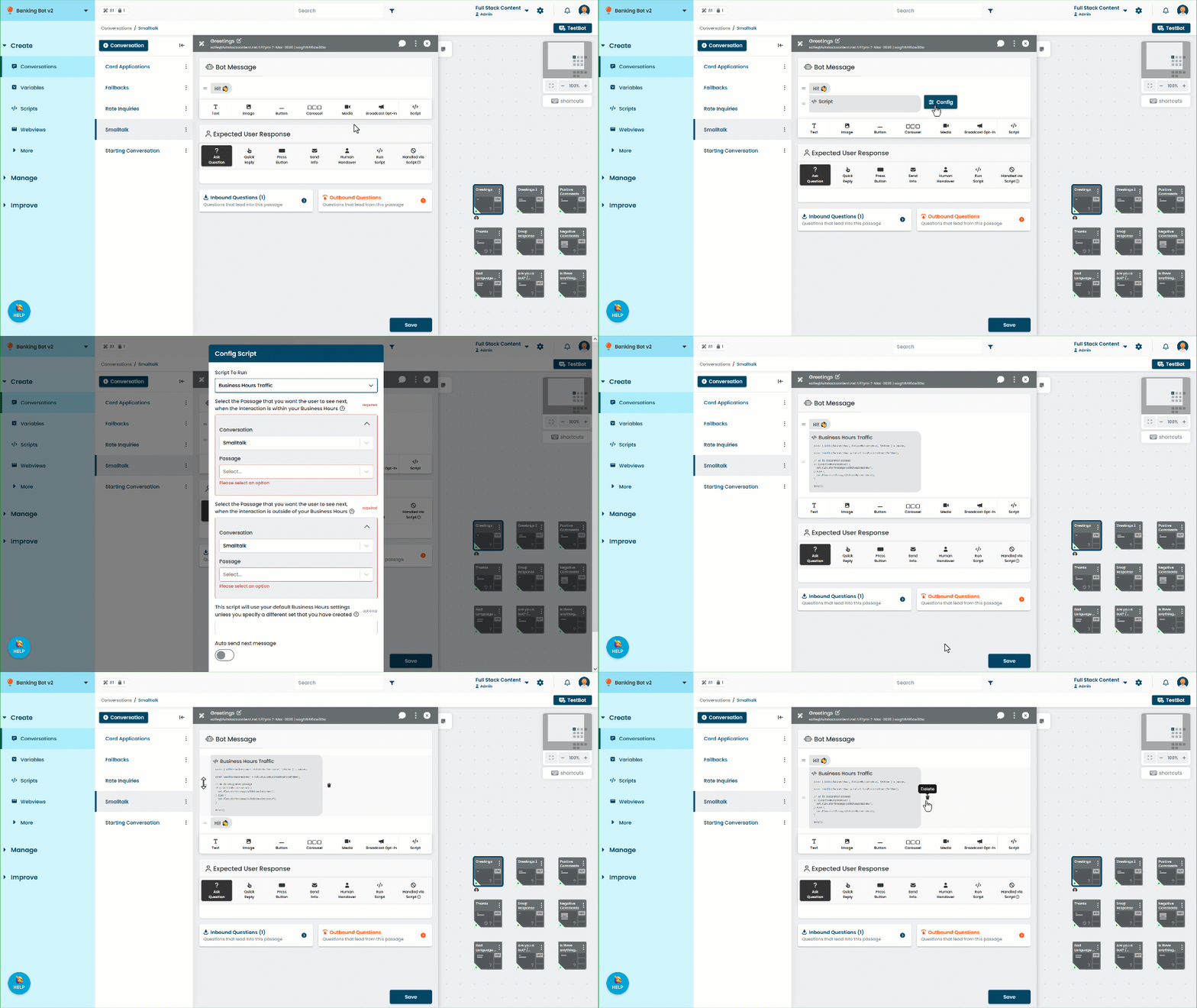
- Replace the bot message content with the business hours script.
-
Configure the script parameters to use:
- The duplicate business-hours passage during business hours.
- The alternative passage outside business hours.
- The business hours set you created earlier.
-
Save the passage.