Add a script to add more advanced interactions in your chatbot. Scripts can be sent as chatbot messages, or triggered in response to chatbot user responses.
You can create your own script from scratch, or use one of the script templates provided.
For more information on coding scripts, see Create a script in the Developers section.
To add a script to your chatbot:
-
Click Create in the left navigation, then click Scripts.
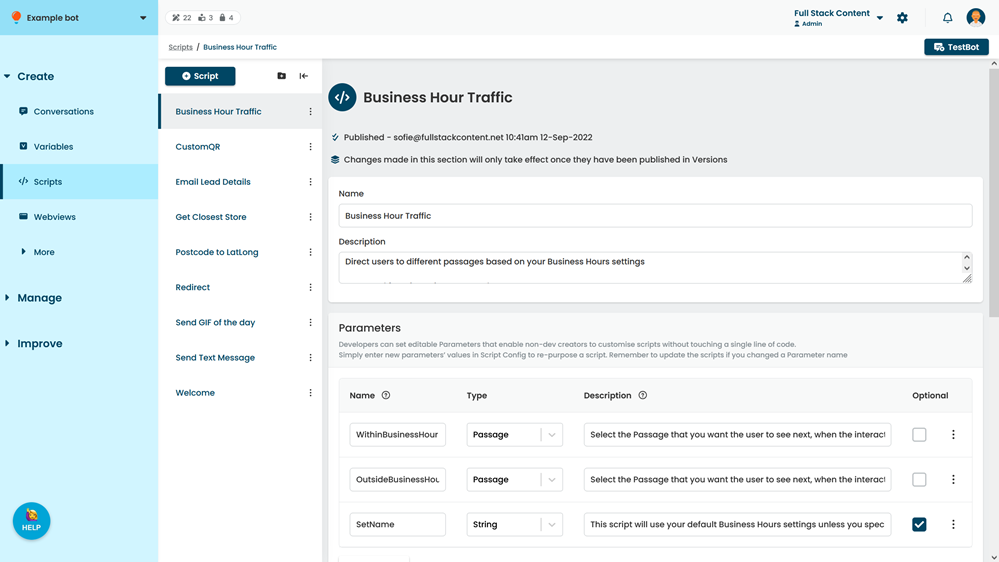
- Click+ Script.
- Select whether you want to use a template or define your own script.
- If you are using a template, select the template.
The script parameters and content are displayed in a preview. - Type a Script Name to identify the script.
- Optionally, select a group for the script.
- Click Create.
The new script is added to your list of scripts with its default name. - Add a brief Description to explain what the script does.
- Add any parameters your script requires.
- Add or adjust the script Code as required.
- Click Save.
You can test your script in TestBot immediately. New content is created as a draft and must be published before it appears in your live chatbot.