Sometimes a chatbot user types a reply that matches a question the chatbot has already answered, and the chatbot user receives the same passage again. In some conversations, this is to be expected: a package-tracking chatbot might be asked where a package is several times, and identical replies won't seem out of place. But for conversations where the chatbot user does not expect the same response again, it can frustrate them.
The Intellimem feature steps in when the chatbot would have otherwise repeated its response and sends a different response so the conversation feels more natural. You can use these responses to guide the user into rephrasing their question, or asking to talk to a human.
Intellimem won't step in if the user's response matches an Outbound question.
You can configure Intellimem settings for your entire chatbot, or customise your settings per-conversation.
Intellimem settings are versioned: these changes are stored in the chatbot version, and will not be applied until they are published.
Intellimem is configured in your chatbot's fallback settings. You need an administrator of publisher role on your team to edit fallback settings.
To open the fallbacks settings:
- Click Manage in the left navigation, then click Settings.
- Click Fallbacks.
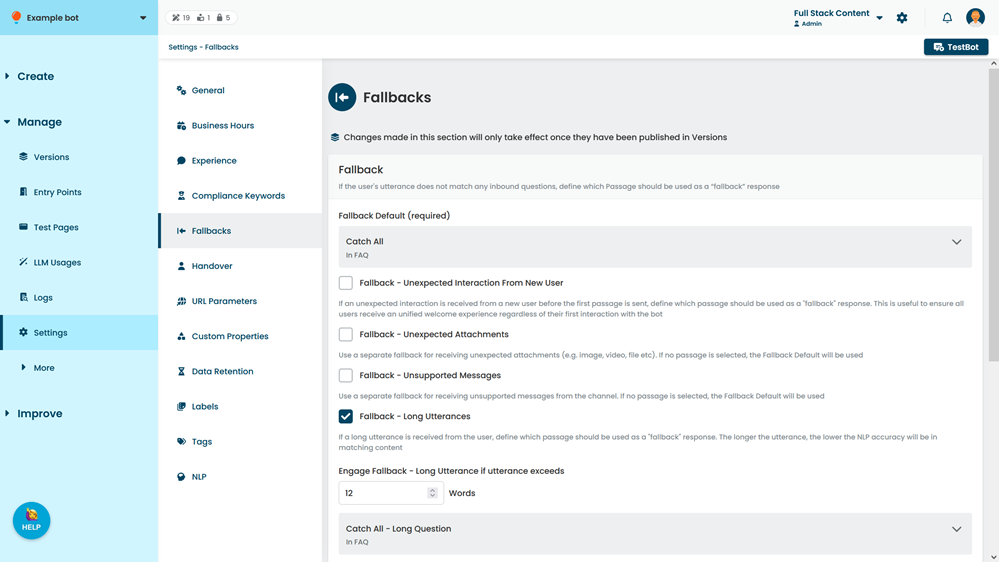
Intellimem (per Conversation)
You can configure this at the chatbot level if most of your conversations should not repeat responses. If some of your conversations should repeat responses but others shouldn't, or you want to send different passages in different conversations, you can configure Intellimem per-conversation. Intellimem will use the conversation-specific setting when in conversations you've specified, and the default setting otherwise.
If you set an Intellimem configuration for a parent conversation, that same Intellimem setting also applies to any child conversations of the parent conversation. You can specify a different Intellimem configuration for the child conversations if required.
If your chatbot uses locked-in conversations and you do not specify an Intellimem configuration for the locked-in conversation, the conversation fallback will be sent instead of the default Intellimem settings or any parent conversation Intellimem settings.
| Field | Description |
|---|---|
| When first repeat, use | Select the passage to send the first time a passage would have been repeated. |
| Any subsequent repeat, use | Select the passage to send after the first repeat. |
| Advanced | Select whether to use Intellimem for all matched questions, or only when the fallback response is being triggered. |
| Intellimem Expiry Period | Allow the original passage to be sent again after this many minutes. |
Because these settings impact individual conversations, per-conversation Intellimem updates are displayed in your version history as conversation changes. These changes will appear in the draft stage in Versions upon save.