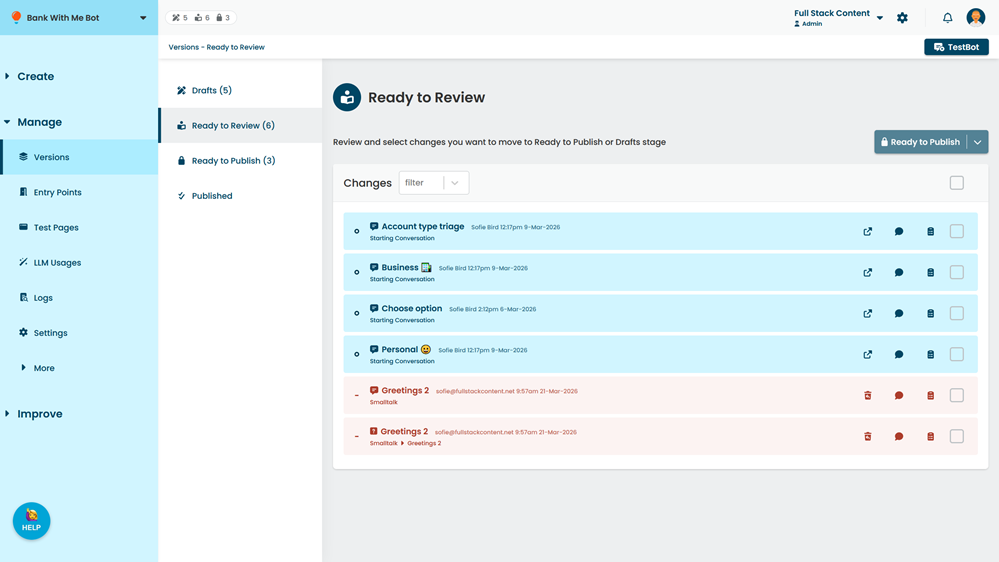
Ready to review content is content that you've finished making changes to and is ready for your publisher to review for publishing.
You can:
- Filter the changes
- See changes in context
- Add and view comments
- Send changes back to draft.
- View the history of the content by clicking the clipboard icon next to the change.
- Revert a deleted item.
If you have an administrator or publisher role on your team, you can also make these changes ready to publish.
To view ready to review content:
- Click Manage in the left navigation, then click Versions.
-
Click Ready to Review.