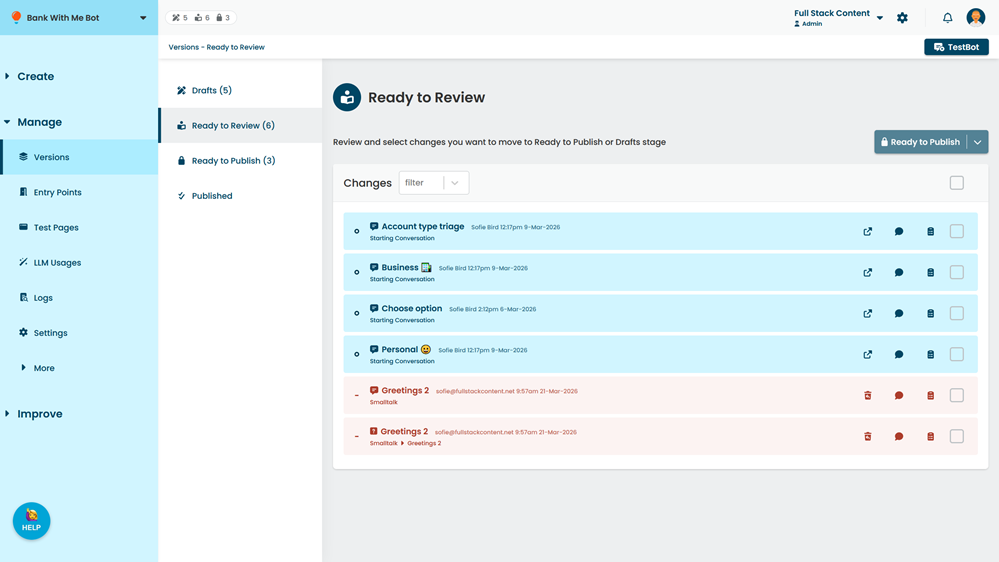
You can use verions to revert a deleted item to its published state, provided:
- The item is managed by chatbot versions.
- The item was published before you deleted it.
- You haven't published the deletion yet.
Some deletes are final
You can only revert deleted content that is managed by your chatbot versions. If you delete something that isn't versioned or something that you hadn't published yet, it's gone for good. Only deletions you haven't published yet can be reverted.
To revert a deleted item:
- Click Manage in the left navigation, then click Versions.
- Click the review stage the deleted item is in.
-
Click the revert icon on the deleted item.
You can hover over the passage change icon to check the passage content.