Delete a guardrail to delete it and all filter configurations from your chatbot.
You need an administrator or publisher role on your team to delete guardrails.
Are you sure?
Guardrails that haven't been published are deleted immediately and can't be recovered. Guardrails that have been published are available to your live chatbot until you publish the deletion.
Before you publish the deletion, you can revert the deleted guardrail from the versions screen. Once you've published the deletion, the guardrail is permanently deleted and can't be recovered.
To delete a guardrail:
- Click Manage > More in the left navigation, then click Guardrails.
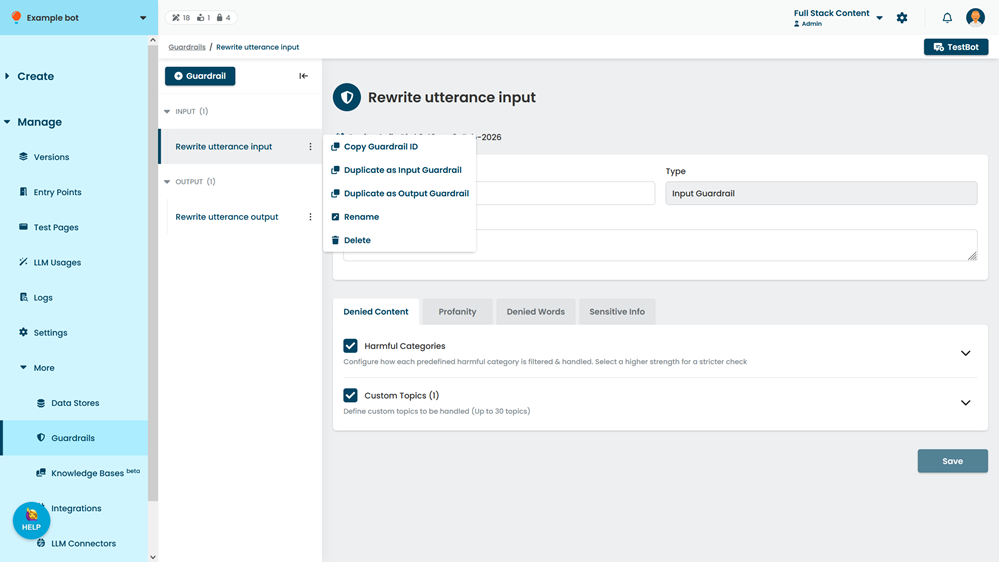
- Click the menu beside guardrail you want to delete, then click Delete.
- Click Delete.