The generate phrases task to helps your chatbot content creators quickly add a diverse range of training phrases to NLP questions.
The task can generate phrases based on the passage content or generate variations of existing phrases in the question. You can customise the prompt used to generate the phrases. The generated phrases will not be visible to your chatbot users.
Training phrases are only generated in English, but you can use a Translate content usage to translate questions into another language.
The generate phrases feature is available by default in your chatbot, but you can customise the prompt. You need an administrator or publisher role in your team to customise a task prompt.
When editing tasks and usages, check the top of the usage page to see if it is the primary usage and whether your changes must be published to take effect. If there is no message indicating your changes must be published, then the changes are applied immediately and will not appear in versions.
You can test your prompt by opening an NLP question in a passage and generating training phrases.
To customise how phrases are generated:
- Click Manage in the left navigation, then click LLM Usages.
- Click the filter icon next to + LLM Usage and make sure Show Platform Usages is selected.
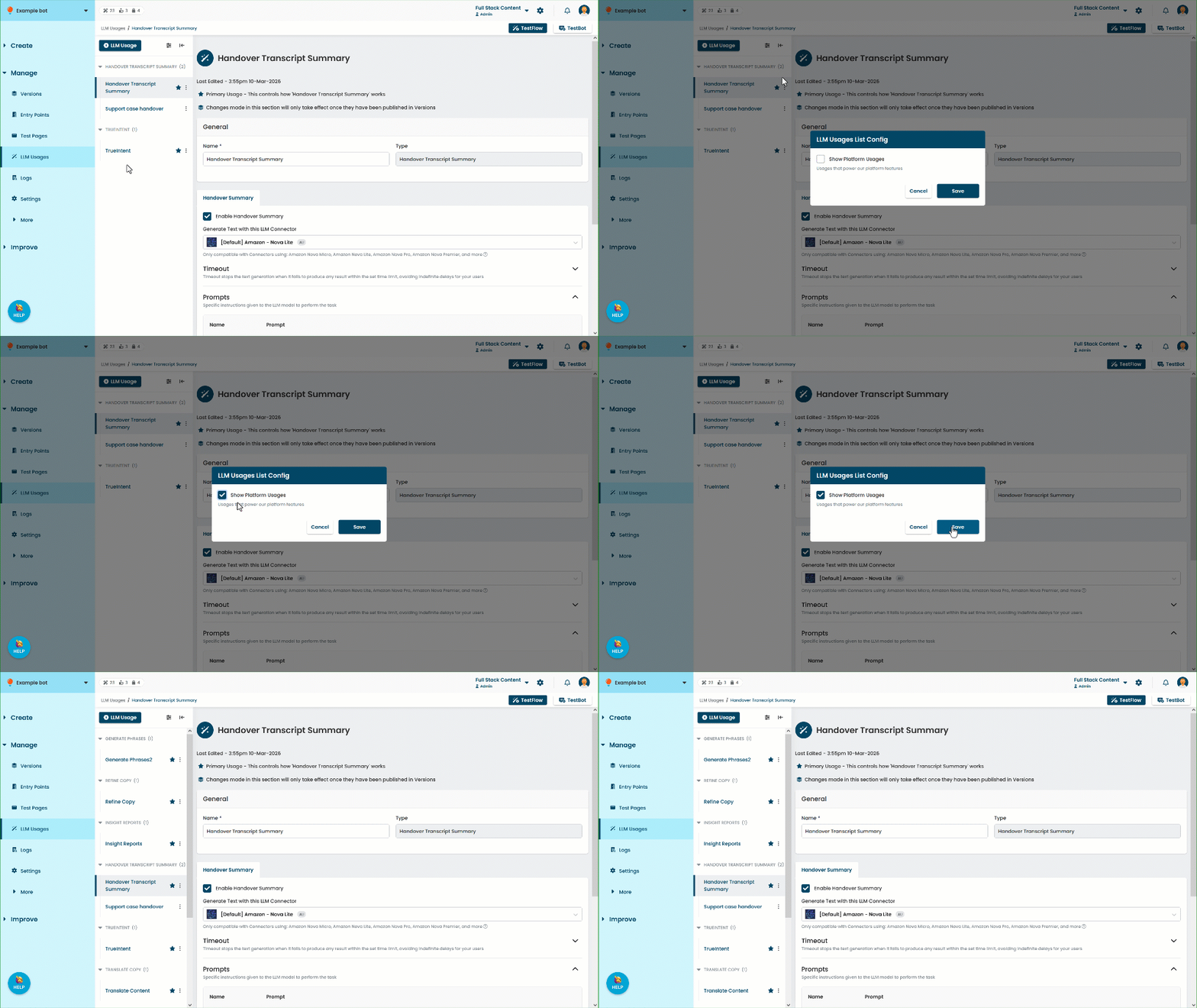
- Click the Generate Phrases usage.
This usage is available by default in your chatbot, you don't need to create one. - By default, the inGenious AI platform waits a maximum of 60 seconds for the model to generate a result. If it doesn't receive a result within that time, it notifies your content creator that the request timed out.
If you want to change this period:- Expand the Timeout section.
- Update the number of seconds the inGenious AI platform will wait.
- If you want to edit the default prompt used to generate the phrases, type any edits into the Prompt area.
Make sure you don't delete the prompt variables: ${variation} and ${question}. - Click Save.