Delete a connector to delete it from your chatbot and prevent any tasks from using that connector.
You need an administrator role in your team to delete connectors.
This is not a versioned change
When you delete a connector, it's deleted immediately and the change does not appear in versions. Any LLM tasks that were using the connector will stop working. Update any tasks using the connector and publish those changes before you delete the connector.
To delete a connector:
- Click Manage > More in the left nativation, then click LLM Connectors.
-
Click the menu next to the connector you want to delete.
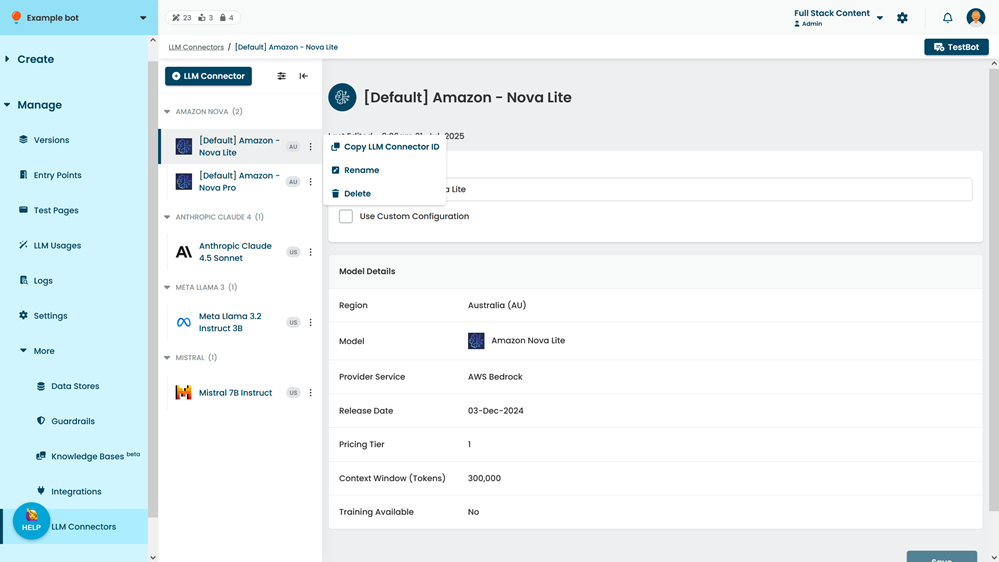
- Click Delete.