Make sure you have created an app in your Sunshine Conversations account, and you're logged in.
You need an administrator role on your team to add integrations.
In your inGenious AI chatbot:
- Click Manage > More in the left navigation, then click Integrations.
- Click + Integration.
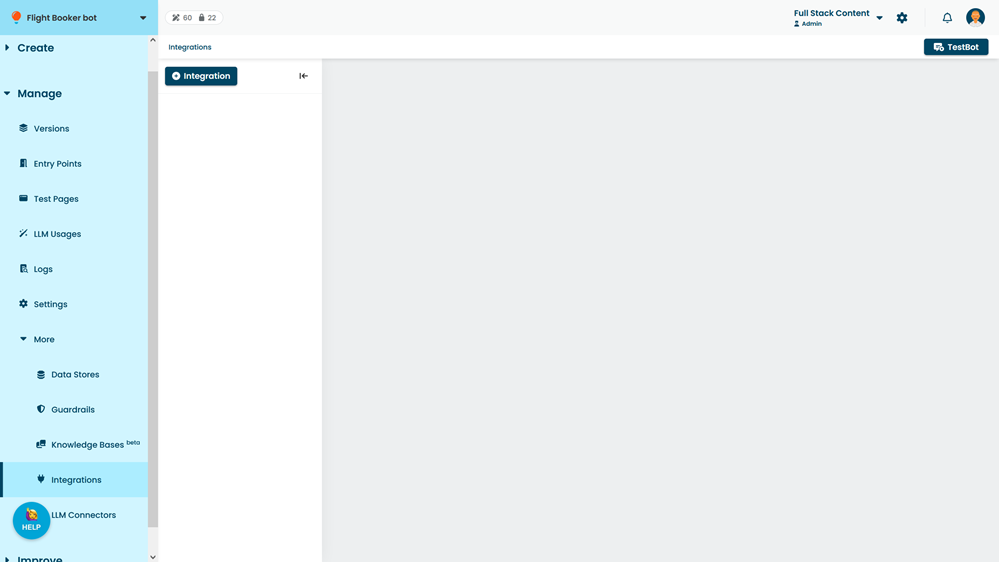
- Click Sunshine Conversations v2.
- Click Connect to Sunshine Conversations.
Your browser will launch your Sunshine Conversations dashboard in a popup window.
If you do not see the dashboard, check your browser's popup blocker. - If prompted, log in to your Sunshine Conversations account.
- Select the app you want to connect to Sunshine Conversations.
This is the app you created in the first step. - Click Allow.
Your browser will return to the inGenious AI platform, and populate the Sunshine Conversations integration settings. Once your chatbot is published, you can connect your Sunshine Conversation messaging channels.
Next: Connect your channels. See an example: connecting a Smooch Web Messenger widget.