Text is a simple text bubble with emojis and placeholder chips. There is no additional configuration.
You can create text content yourself or use the Refine & Create Copy to generate text bubbles from a prompt or external source such as a web page.
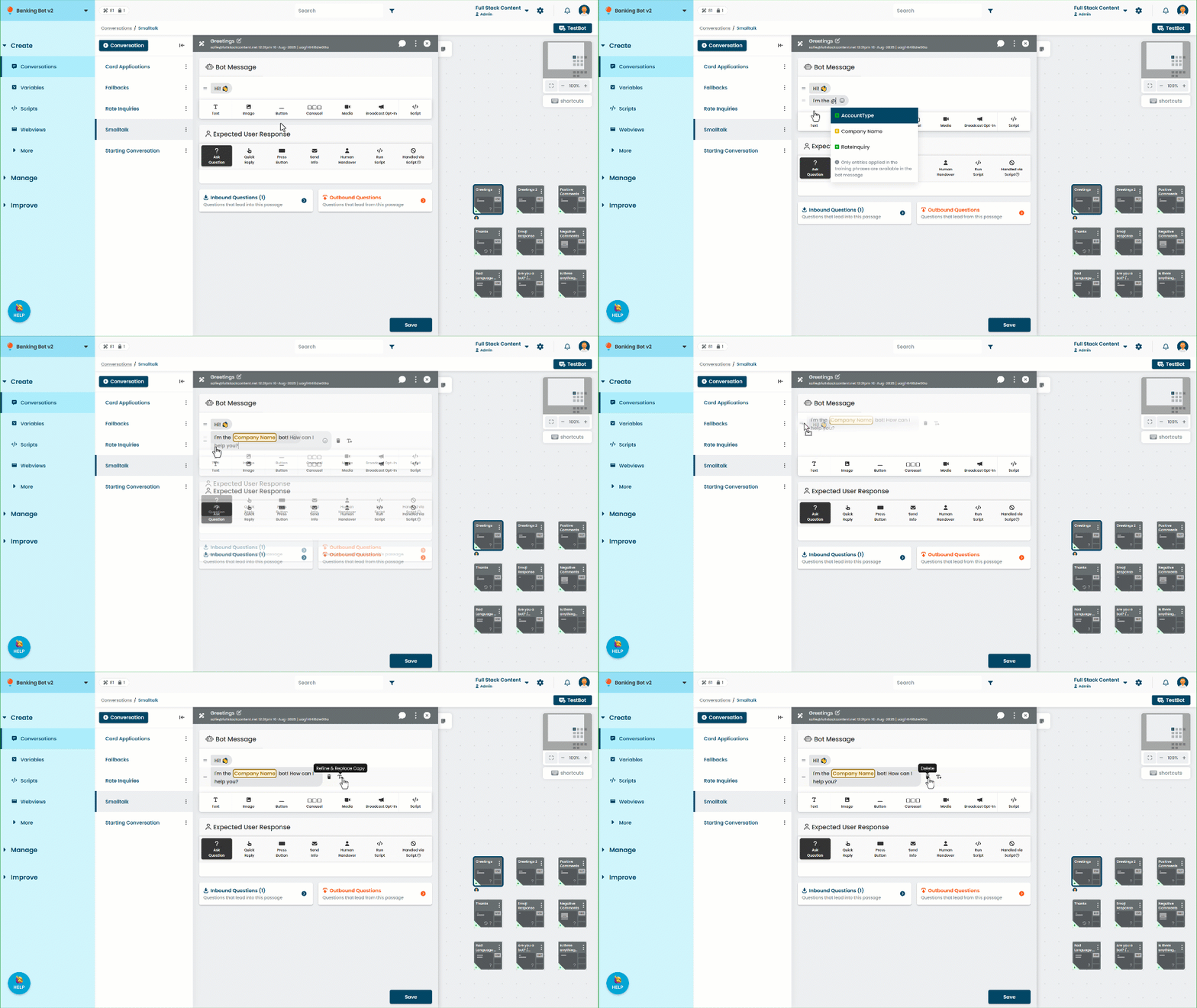
- Click the Text message type to add a text bubble.
- Click the text in the bubble to edit it.
- Type @ to add the placeholder chip for a variable, constant, or entity.
- Drag the handles on the left to re-order the passage content.
- Click the delete icon to delete the text bubble.
- Click the Refine & Replace copy icon to refine the message content.
All message types have a default maximum length. If you use a placeholder chip and the value of the placeholder makes the total length of the message longer than the limit, the message is truncated to the limit. The default length for text messages is 2000 characters. The following channels use different limits:
- Google Business Messages (including via Khoros): 3072 characters
- Instagram: 1000 characters
- Smooch v2: 4096 characters.
- Zendesk: 5000 characters
- Khoros subchannels other than Google Business Manager, Meta Messenger, and Brand Messenger: 4096 characters.