You can duplicate a broadcast to copy its conversation content, audience segment and settings into a new draft broadcast. To duplicate a broadcast:
- Click Create > More, then click Broadcasts.
- Click the topic of the broadcast you want to duplicate.
- If the broadcast has been scheduled or sent, click the Scheduled or Sent tab.
- Click the menu next to the broadcast you want to duplicate.
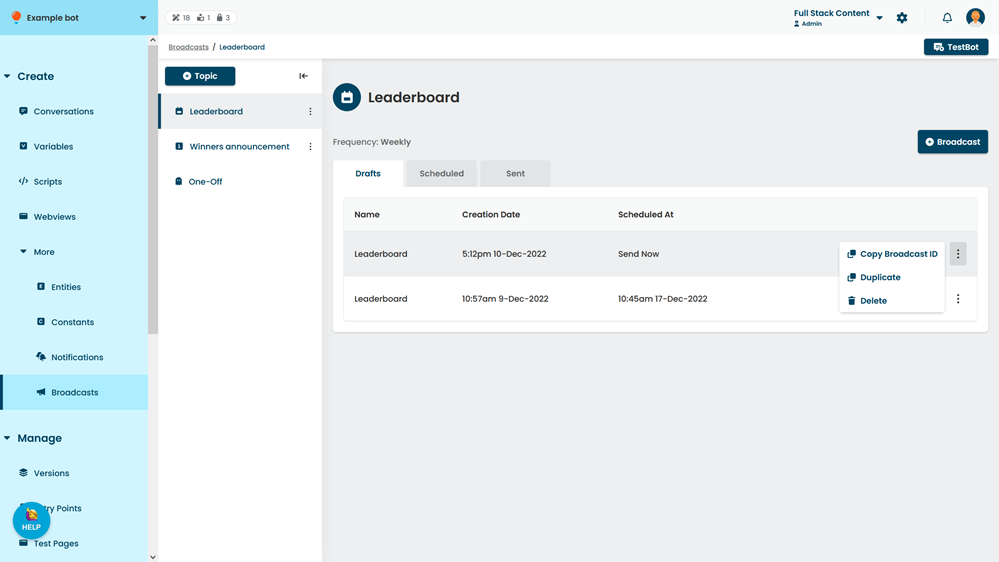
- Click Duplicate.