Delete a script to delete it and its parameters from your chatbot.
Check your passages and logic
When you delete a script, any passages or logic that use it will show an error in the conversation canvas. You'll need to update these passages or logic before you publish the deletion. If the script has been published, you can revert the deletion in the versions screen until you publish the deletion.
To delete a script:
- Click Create in the left navigation, then click Scripts.
-
Click the menu next to the script you want to delete.
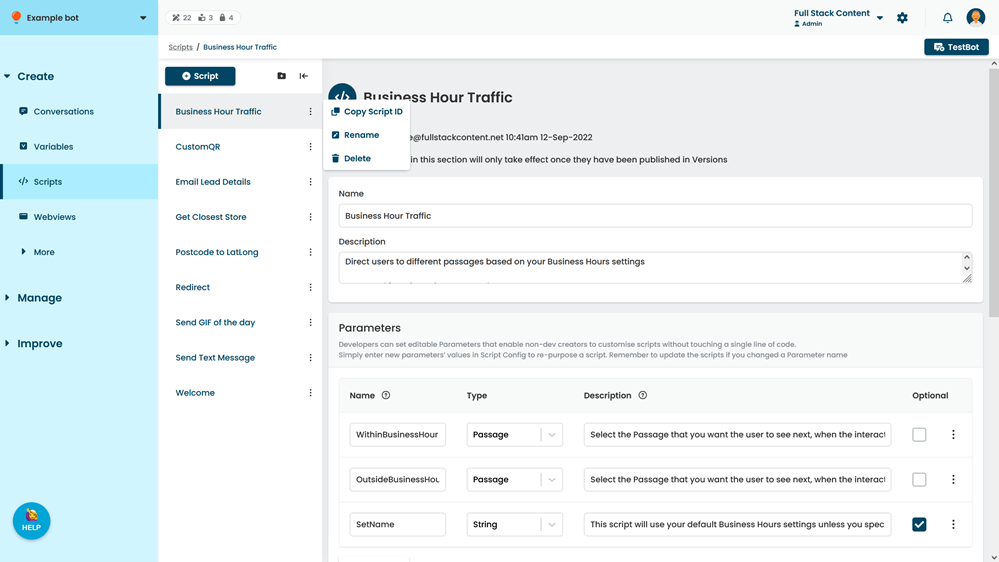
- Click Delete.