You can delete all data from a data store without deleting the data store itself. This means you won't need to update the data store ID in any scripts using the data store.
Deleting the data also resets the data store's last used index, if it was set.
This is not a versioned change
The data is immediately deleted from your chatbot. Once deleted, data store data cannot be retrieved. We recommend you download a copy of the data first.
To delete all data from a data store:
- Click Manage > More in the left navigation then click Data Stores.
- Click the data store you want to delete data from.
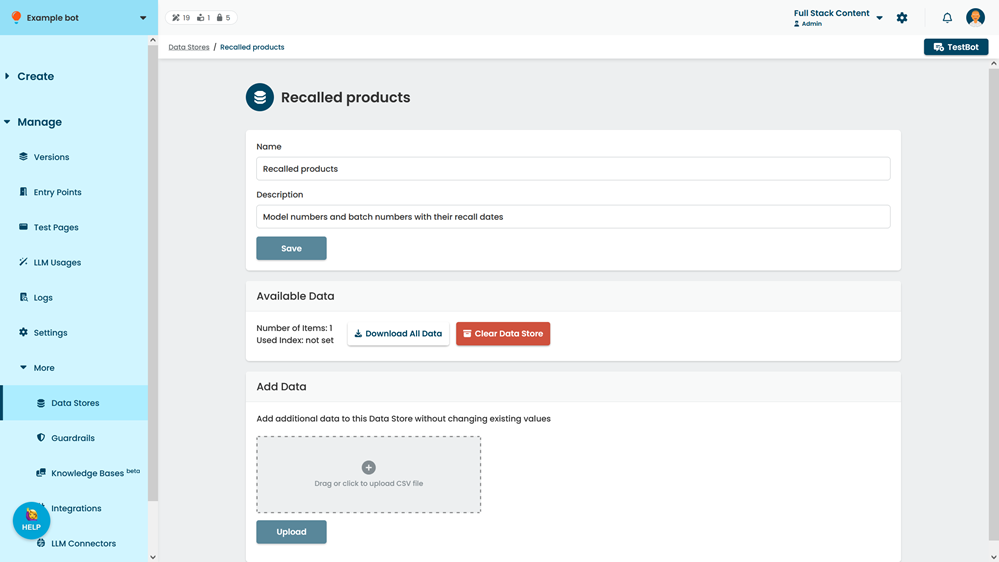
- If you want to download a copy of the data first, click Download All Data.
- Click Clear Data Store.
- In the confirmation, type Delete.
- Click Confirm.