You can check the dates and times a data source has been synced and published from the data source history. Only the ten most recent sync attempts and ten most recent published versions are displayed, but you can download a CSV of the full history.
To view the history of a data source:
- Click Manage > More in the left navigation, then click Knowledge Bases.
- Click the knowledge base of the data source you want to view.
- Click the data source you want to view.
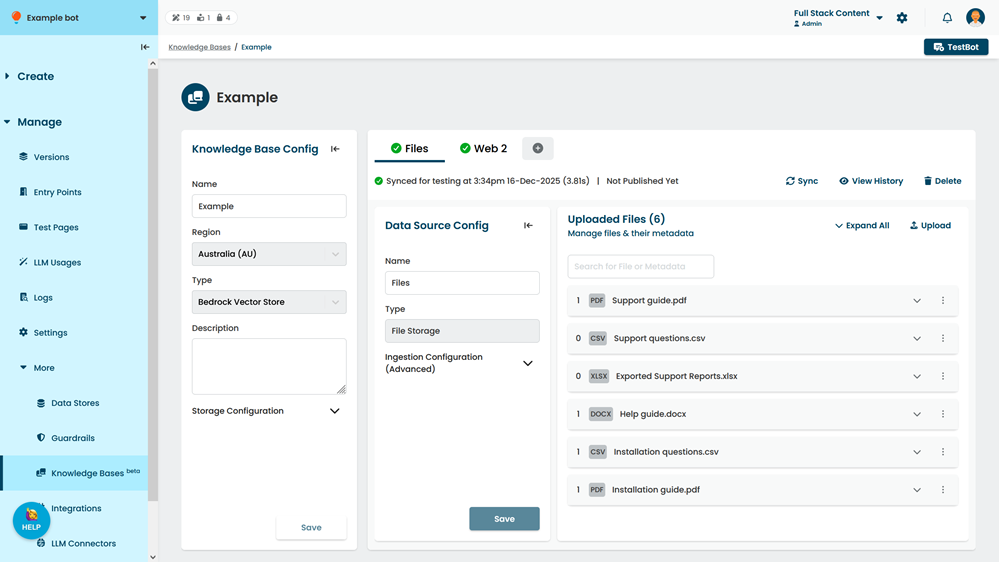
- Click View History.
- If you want to download the full history, click the menu at the top of the sync history or publishing history, then click Download Full History.