Sync a data source to make it ready for LLM models to use. Syncing a data source re-crawls web pages and re-ingests files, metadata, and unpublished chatbot content, and makes it available in TestBot for you to test your changes before publishing them.
Syncing is time-consuming, so you should use it when you've finished making all your data source changes and you're ready to test, rather than every time you change the data source. If you're not ready to test the changes yet, just save the data source instead of syncing.
Web crawler data sources must be synced to download updated web page content.
To sync a data source:
- Click Manage > More in the left navigation, then click Knowledge Bases.
- Click the knowledge base of the data source you want to sync.
- Click the data source you want to sync.
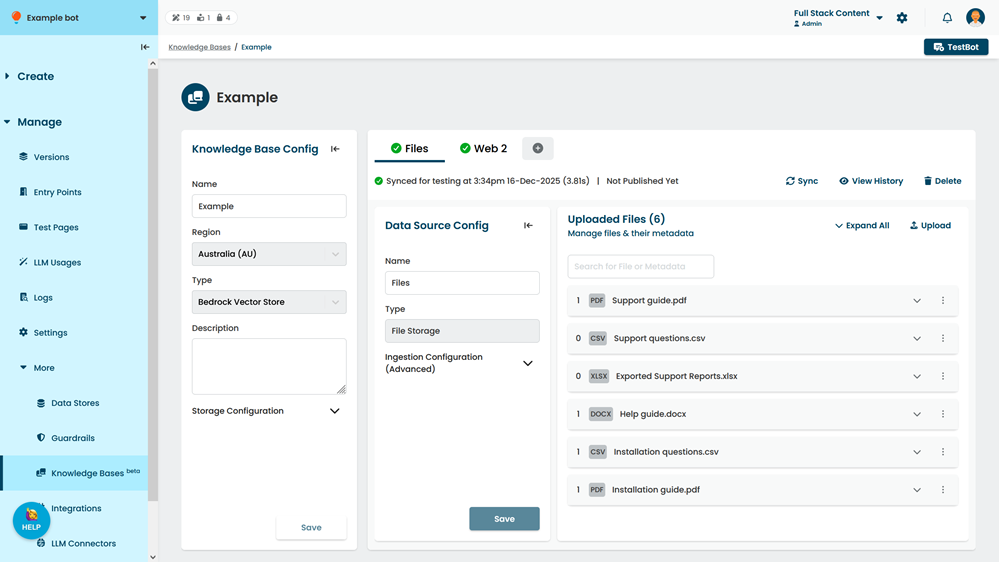
- Click Sync.