Create a targeted review to review chatbot interactions where the chatbot responded with specific logic or passages. Targeted reviews can be helpful for troubleshooting a particular set of questions and reviewing new or recently updated content. You can target:
- Specific passages or logic, which includes all chatbot user interactions where the chatbot responded with that passage or logic.
- Specific conversations, which includes all chatbot user interactions where the chatbot responded with a passage or logic from that conversation.
You can add any combination of conversations, passages, and logic to the same review, and add as many of each as you need.
You need an administrator or publisher role on your team to create a targeted review.
Create a targeted review
To create a targeted review:
- Click Improve > More in the left navigation, then click Targeted Reviews.
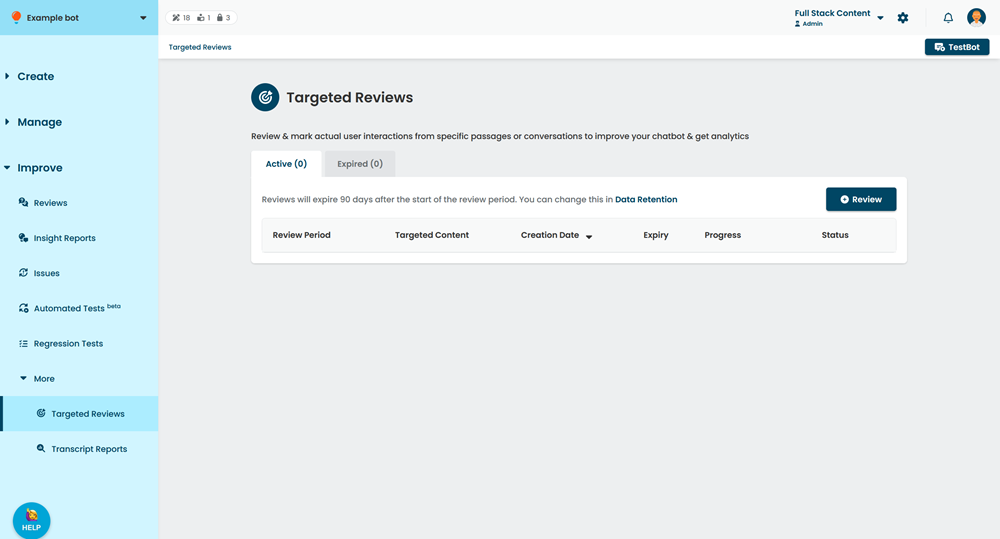
- Click + Review.
- Select the time period for your review.
- Add any conversations you want to review:
- Click Conversations.
- Select the conversation you want to include.
The review will include all chatbot interactions where the chatbot responded with a passage or logic from this conversation. - To add another conversation, click + Conversation.
- Add any passages or logic you want to review:
You don't need to add passages or logic that belong to conversations you've added.- Click Passages.
- Select the passage or logic you want to include.
- To add another passage or logic, click + Passage.
- Click Create.
It takes a few minutes for all the data to be gathered. The inGenious AI platform will notify you when your review is ready. You can start marking your review.
Review period
Reviews gather all messages sent from a chatbot user to your chatbot over the specified period. By default, the period starts from the last published version of your chatbot, but you can select any period review, provided it doesn't overlap with a previous review.
If you start a review period before the latest version of your chatbot was published, the review will include passages and logic from the previous version, even if that content has been deleted in the more recent version, which may be confusing when you're marking. The calendar displays when versions of your chatbot were published.