The primary usage is the usage your chatbot will use for the LLM tasks the usage contains. Your chatbot can have multiple usages of the same type configured, but only the primary usage is used.
Primary usages are indicated by a star in the list of usages and by a message at the top of their usage page.
You need an administrator or publisher role in your team to set a usage as primary.
New usages you create are set as the primary by default, but you can create a usage without setting it as primary.
When editing tasks and usages, check the top of the usage page to see whether your changes must be published to take effect. If there is no message indicating your changes must be published, then the changes are applied immediately and will not appear in versions.
To set a usage as the primary:
- Click Manage in the left nativation, then click LLM Usages.
- If you don't see the usage you want to update, click the filter icon next to + LLM Usage and make sure Show Platform Usages is selected.
-
Click the menu next to the usage you want to set as primary.
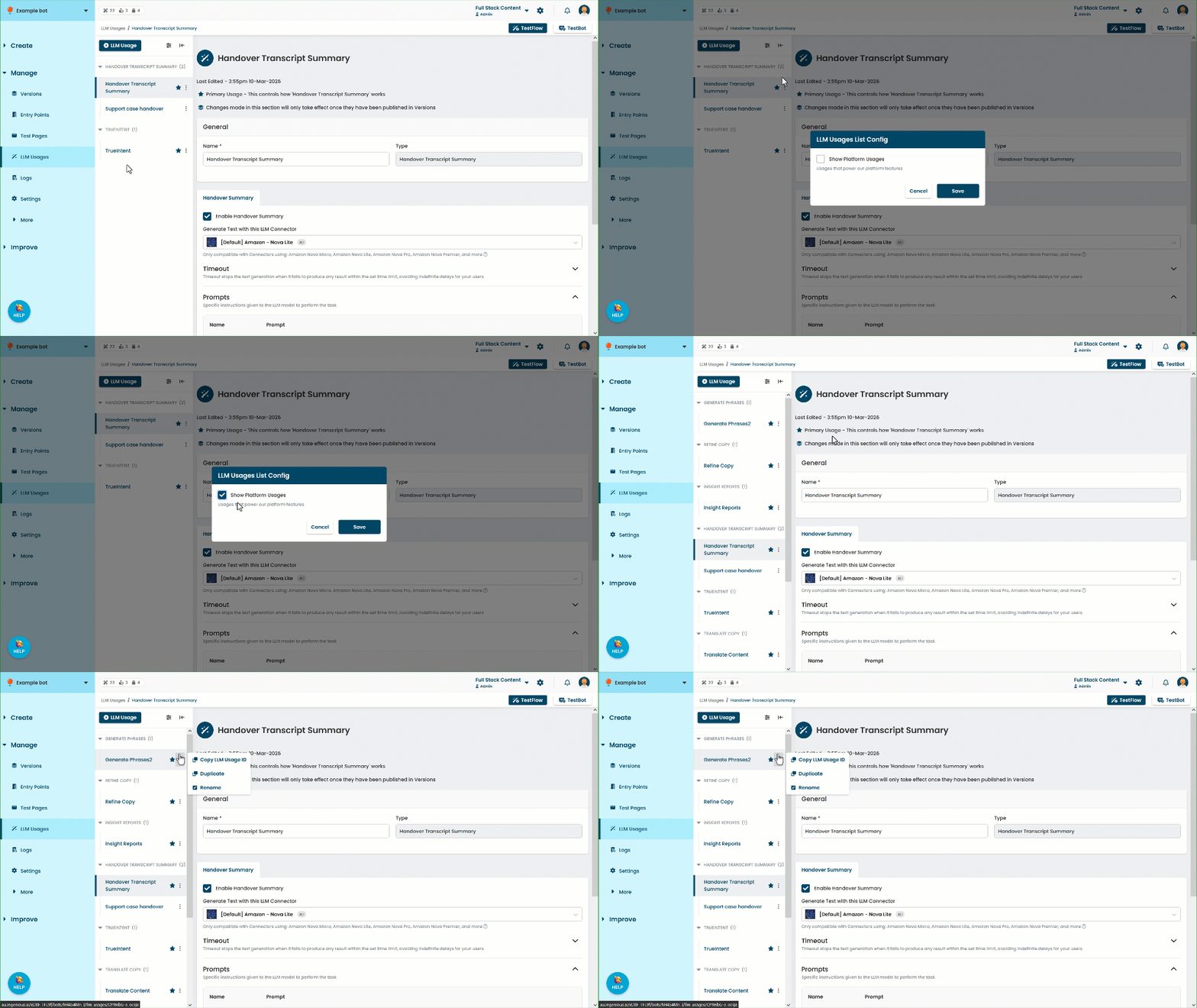
- Click Set as Primary.
You can also set a usage as primary on the usage page: select the Set as Primary checkbox on the usage page and click Save. This field is only displayed if the usage isn't the primary usage.