You can configure a passage to send to your user when they haven't interacted with your chatbot (i.e. by pressing buttons, Quick Replies, or typing responses) for a while.
Changes to these settings are sent to the Ready to publish stage in Versions, and will not be applied until they are published. You must publish these changes with the next version of your chatbot.
Inactivity response is configured in experience settings. You need an administrator of publisher role on your team to edit experience settings.
To configure an inactivity response:
- Click Manage in the left navigation, then click Settings.
- Click Experience.
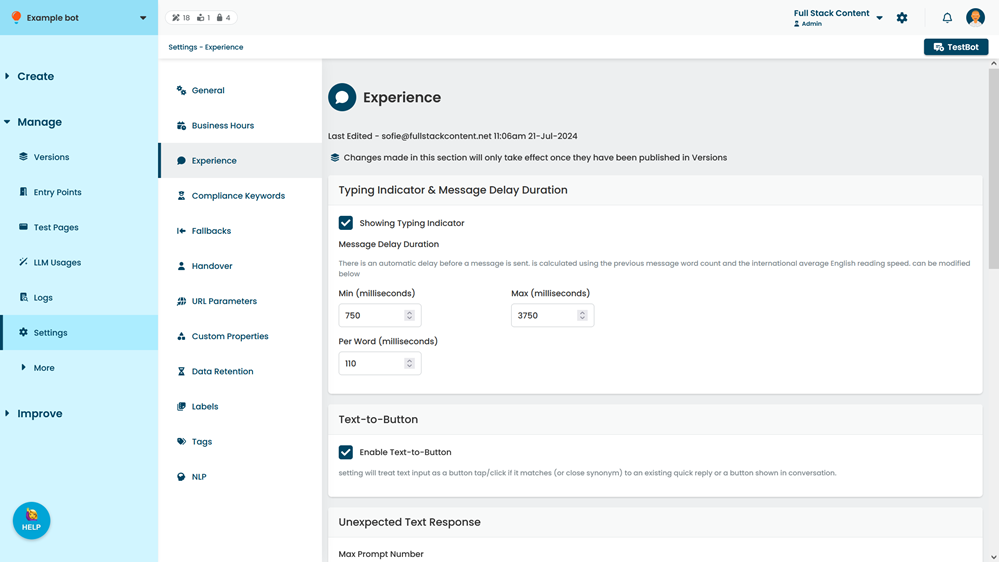
- Select Enable Inactivity Response.
- Type the number of minutes after which a user is considered inactive.
Minimum period is ten minutes. - Select the passage or logic to send the user after the inactivity period has elapsed.
- Click Save.