Create a variable to be a placeholder for information you receive from the user during a conversation, such as a product they're enquiring about or a preference they've expressed. In your chatbot content, you'll see the variable name in a placeholder chip, but when your chatbot sends its message content, it replaces the chip with the value that has been set for the user during the conversation flow.
Plan your flow!
Variable values must be set in the conversation flow before they're used. If your chatbot tries to use a value before it has been set, it will display an empty value. You can set a default value to use instead.
Create a variable
- Click Create in the left navigation, then click Variables.
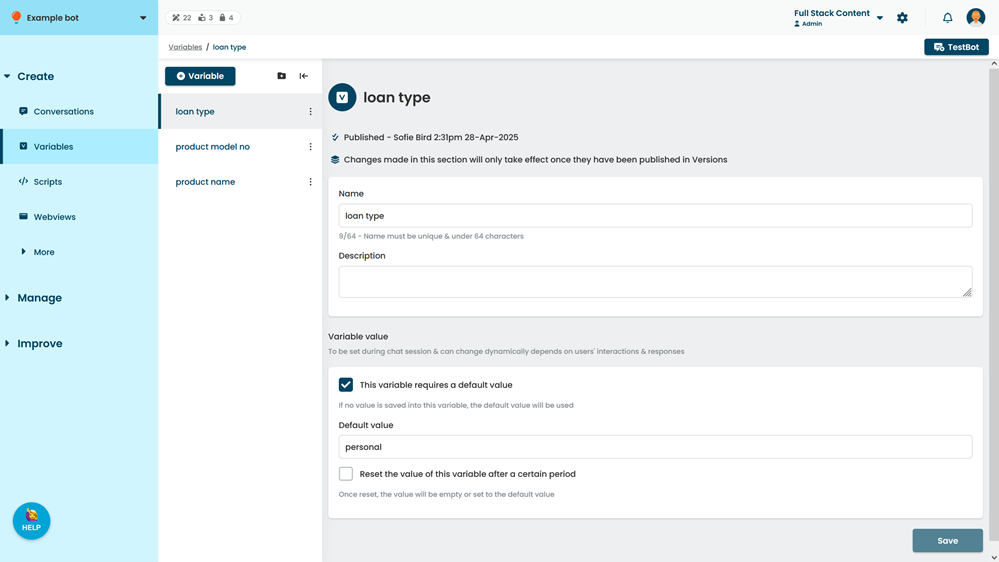
- Click + Variable.
- Type a Name for your variable.
You'll use this name to add the variable to your chatbot content. Keep it short but descriptive. You can change this name later if you need to. - Optionally, select a group for the variable.
- Click Create.
- Add a Description of the information the variable will store to help other content creators use your variable correctly.
- If you want to create a default value to use when this variable has not been set:
- Select This variable requires a default value.
- In the Value field, type the default value to use.
- Click Save.
You can test your new variable in TestBot immediately. New content is created as a draft and must be published before it appears in your live chatbot.