Create a constant to be a placeholder for information you want to use throughout your chatbot, such as a business name or phone number. In your chatbot content, you'll see the placeholder chip with the constant's name, but when your chatbot sends its message content, it replaces the chip with the constant value.
If you want to create a constant that can have a set of value options, create a multi-value constant.
Create a constant
- Click Create > More in the left navigation, then click Constants.
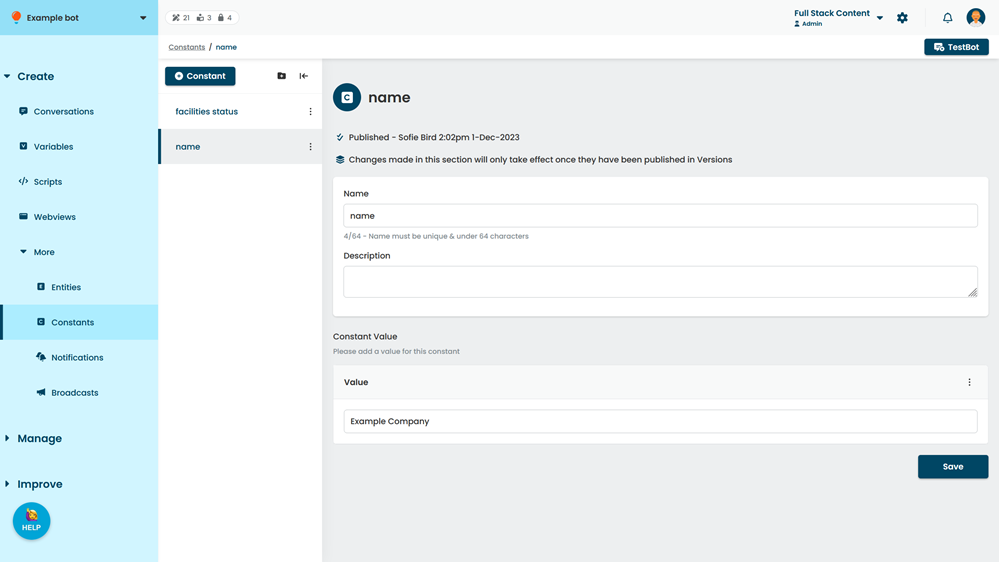
- Click + Constant.
- Type a Name for your constant.
You'll use this name to add the constant to your chatbot content. Keep it short but descriptive. You can change this name later if you need to. - Optionally, select a group for the constant.
- Click Create.
- In the Value field, type the information this constant should display.
- Click Save.
You can test your new constant in TestBot immediately. New content is created as a draft and must be published before it appears in your live chatbot.