Deleting an entity permanently deletes it from your chatbot. Anywhere the entity has been used in chatbot content is replaced with a red Deleted chip.
Are you sure?
Entities that haven't been published are deleted immediately and can't be recovered. Entities that have been published can be reverted from the versions screen until you publish the deletion. Once you've published the deletion, the entity is permanently deleted and can't be recovered.
If you create a new entity with the same name as a deleted one, it is treated as a new entity. It will not replace the placeholder chips of the deleted one.
To delete an entity:
- Click Create > More in the left navigation, then click Entities.
- Click the menu next to the entity you want to delete.
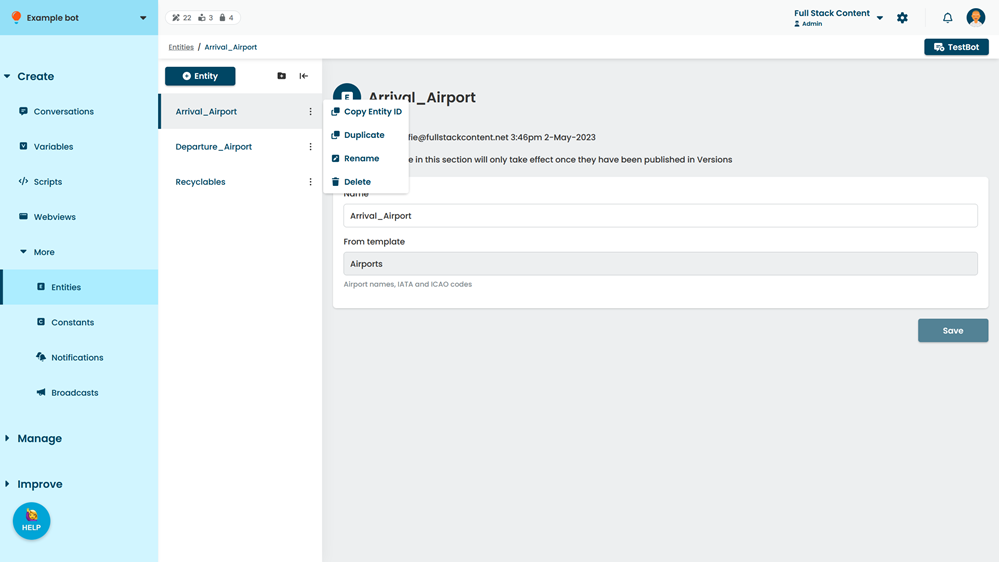
- Click Delete.