You can rename a business hours set to change the name that appears at the top of the tabs, and the name that is typed when configuring scripts to direct your chatbot traffic.
You need an administrator of publisher role on your team to edit business hours.
Check your scripts
Changing the name of a business hours set that is being used by a script may cause that script to stop working. Make sure you also update any scripts that are using this business hours set.
To update the name of a business hours set:
- Click Manage in the left navigation, then click Settings.
- Click Business Hours.
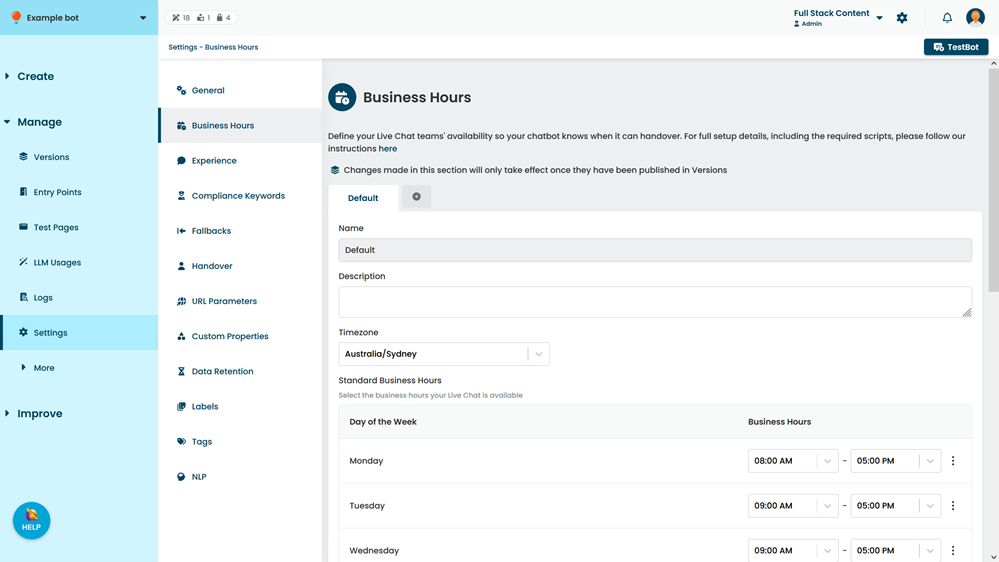
- Click the business hours set you want to change.
- Type a new Name.
- Click Save.