Invite someone to the inGenious AI platform to add them to your team.
You need an adminiatrator or publisher role on your team to add team members.
To add a team member:
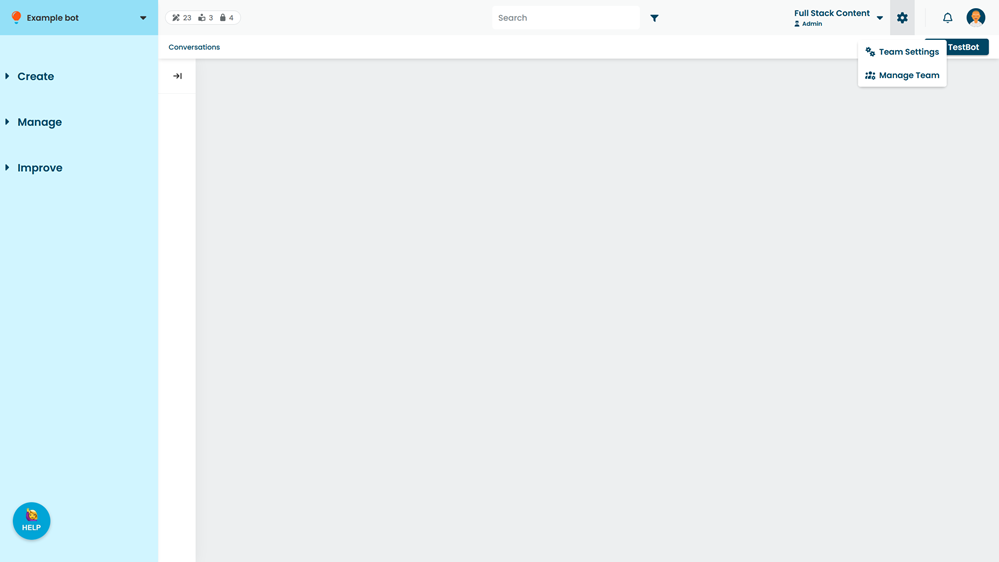
- Click the gear next to your team name, then click Manage Team.
- Click + Member.
- Type the Email address of the person you want to invite.
- Select their Role within your team.
If your team uses SAML for single-sign-on, the way you allocate user roles may vary depending on your SAML implementation. Contact inGenious AI support for assistance. - Click Invite.
- If your new team member doesn't have an inGenious AI platform account, copy the generated sign-up link and send it to them.
When they click the link, they are prompted to create an account and are added to your team.
If your new team member already has an inGenious AI platform account using that email address, they are added to your team as soon as you invite them. There's no need to send them the sign-up link.