Your scripts can send logs of errors, warnings, information, or debugging data to your chatbot logs as they run. This is helpful for identifying script errors such as missing variables or entities that haven't been set or noting when important events have occurred like a purchase or a guardrail trigger.
The Logs page shows all the log messages your chatbot has received for the past seven days. You can filter the logs by the time they were sent, their severity, and where they were sent from.
Log messages only appear in the Logs page: they don't appear in TestBot and they're never visible to your chatbot users.
View chatbot logs
To view the logs your chatbot received the last seven days:
- Click Manage in the left navigation, then click Logs.
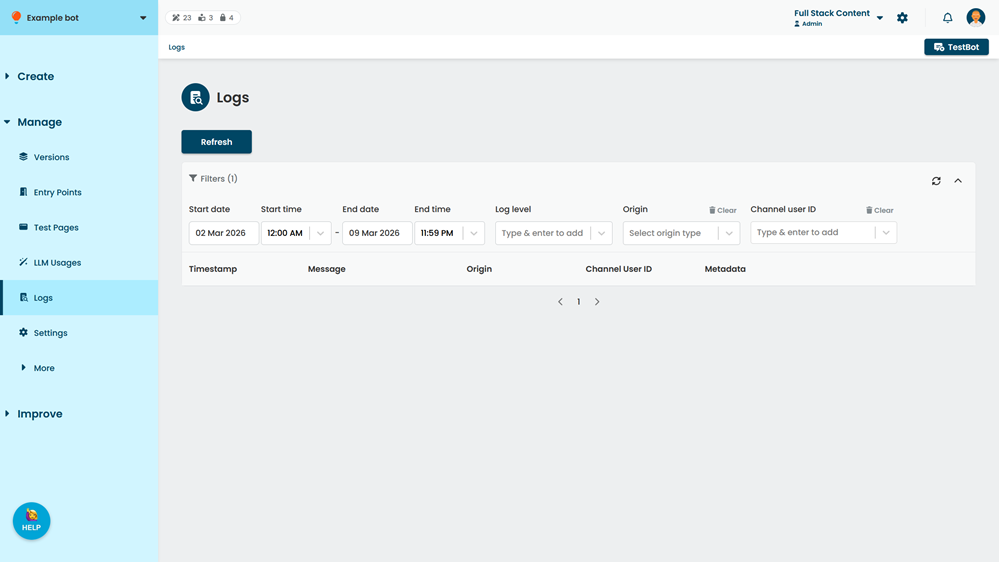
- To see the most recent logs the chatbot has received, click Refresh.
Logs received more than seven days ago are not displayed.
Filter the logs
To filter the logs, click Filters at the top of the list. You can filter the list of using any combination of:
- Logs that were sent after the Start date and Start time.
- Logs that were sent before the End date and End time.
- Logs that were categorised as errors, warnings, information, or debugging.
You can select multiple categories. - Logs that were sent from an integrated channel, or from by a chatbot script.
- Logs that were sent from a chat with a specific chatbot user (identified by their channel user ID).
You can select multiple chatbot users.
To clear all filters and show all logs from the past seven days, click the Reset icon in the top right of the filter section.