A chatbot content data source contains the current chatbot's passages, NLP training phrases, and conversation and passage annotations. You can download a CSV of the data source content, including any unpublished changes that were present when you last synced the data source.
Chatbot content data sources are text only
Only the text of your passages, training phrases, and annotations is included in the data source. Non-textual content like images or media won't be present in the download.
To download the data source:
- Click Manage > More in the left navigation, then click Knowledge Bases.
- Click the knowledge base of the data source you want to download.
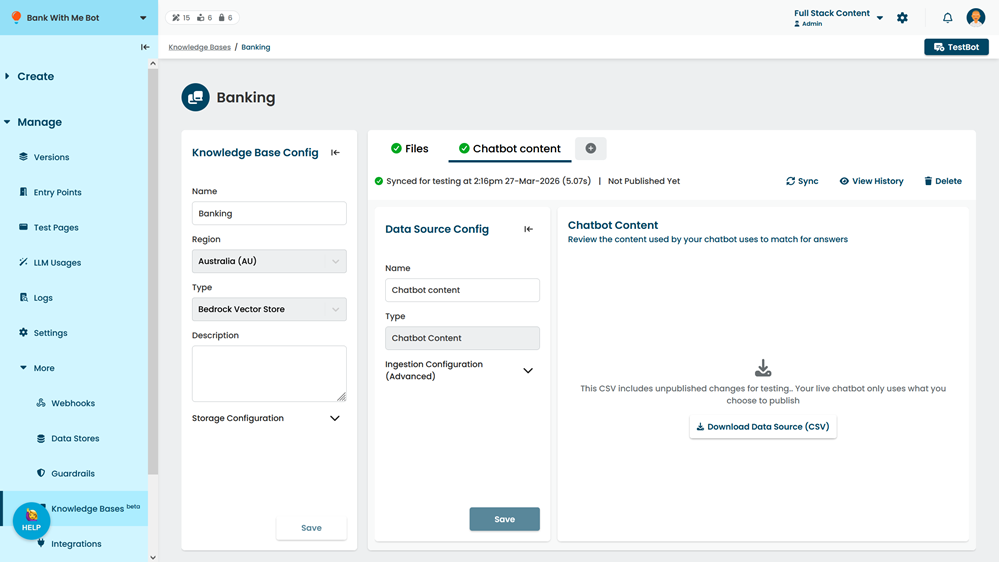
- Click the data source you want to download.
- If you want to include unpublished changes made since you last synced this data source, click Sync.
Syncing the data source may take several minutes. - Click Download Data Source (CSV).