Delete a data source to delete the data immediately from your chatbot.
You need an administrator or publisher role on your team to delete data sources.
This is not a versioned change
Deleting a data source does not appear in versions and cannot be undone. All data for this data source is immediately deleted from your live chatbot and cannot be recovered.
To delete a data source:
- Click Manage > More in the left navigation, then click Knowledge Bases.
- Click the knowledge base of the data source you want to delete.
- Click the data source you want to delete.
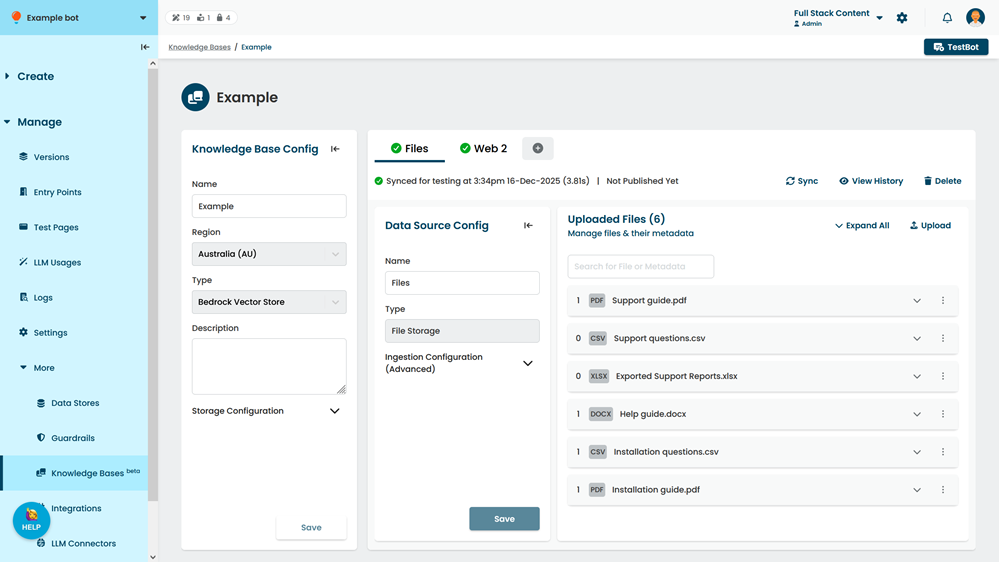
- Click Delete.
- Type delete in the confirmation.
- Click Confirm.