Add a webhook integration to connect your chatbot to a custom channel. Your chatbot will send chatbot messages to the webhook URL you specify, and you'll use the webhook API to send your chatbot user's replies.
You need an administrator role on your team to add integrations.
To add a webhook integration:
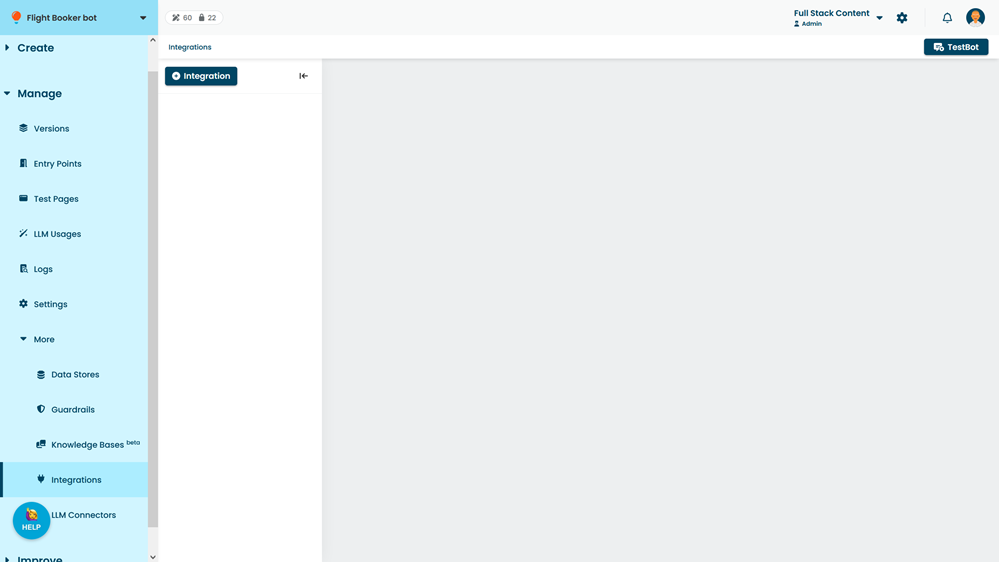
- Click Manage > More in the left navigation, then click Integrations.
- Click + Integration.
- Click Webhook.
- Click Generate Credentials.
- Paste the Webhook URL where chatbot should send chatbot messages.
- Click Save.
Once you have created the webhook integration, use the configuration fields with the Webhook API:
- The API Base URL is the base URL to send all API requests to for this webhook.
- The Webhook ID and Webhook Access Token authenticate your webhook API requests.
If you need to regenerate the access token, contact inGenious Support.