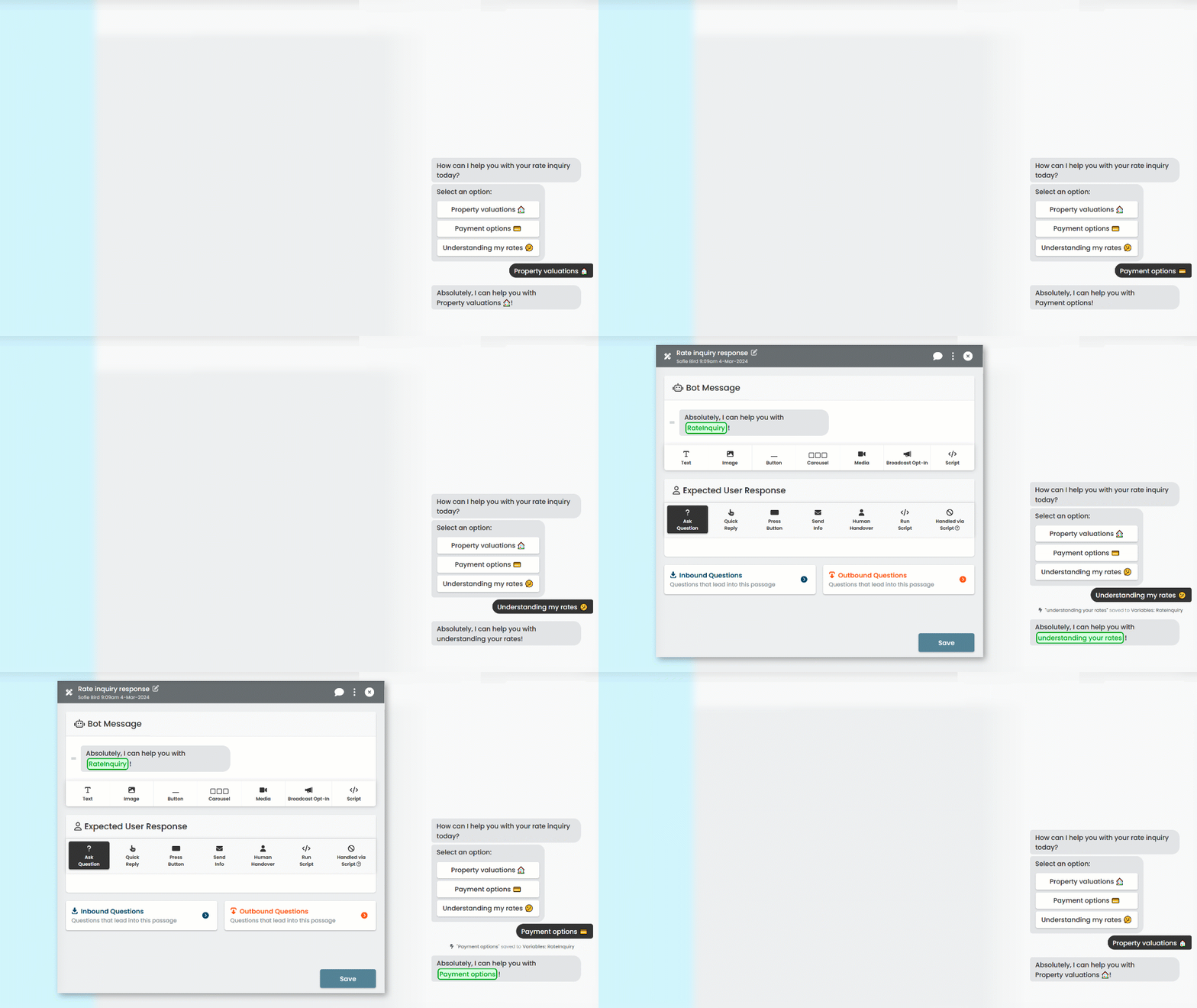
Personalising your chatbot's responses helps your chatbot user feel they're being heard and valued. A simple way to personalise your content is to confirm the option the chatbot user has selected in the chatbot's next response.
We don't want to make a lot of extra passages just to specify different selections when the content would otherwise be the same. Instead, we'll use a placeholder for their selection in the passage content, called a variable. Before the chatbot starts the passage, it will update the placeholder with the correct value.
In this guide, we're going to:
- Create the variable we'll use to store the chatbot user's selection.
- Create a passage where we ask the chatbot user what they would like to do.
- Store the chatbot user's selection in our variable.
- Create another passage where we use the variable to confirm the chatbot user's selection in our response.
To start, let's create our variable.