Once channel-specific content has been enabled for your chatbot, you must enable it in each passage where you want to customise your content per-channel. Channel-specific content can only be created for passages, not logic.
To enable channel-specific content in a passage:
- Click Create in the left navigation, then click Conversations.
- Click the conversation with the passage you want to edit.
- Click the passage you want to customise per-channel, then click the menu at the top of the passage.
- Click Multi-Channel Config.
-
Select the channels you want to create custom content for.
All the channels integrated with your chatbot are displayed, even if the integration isn't complete. Some channels like Zendesk may offer several options.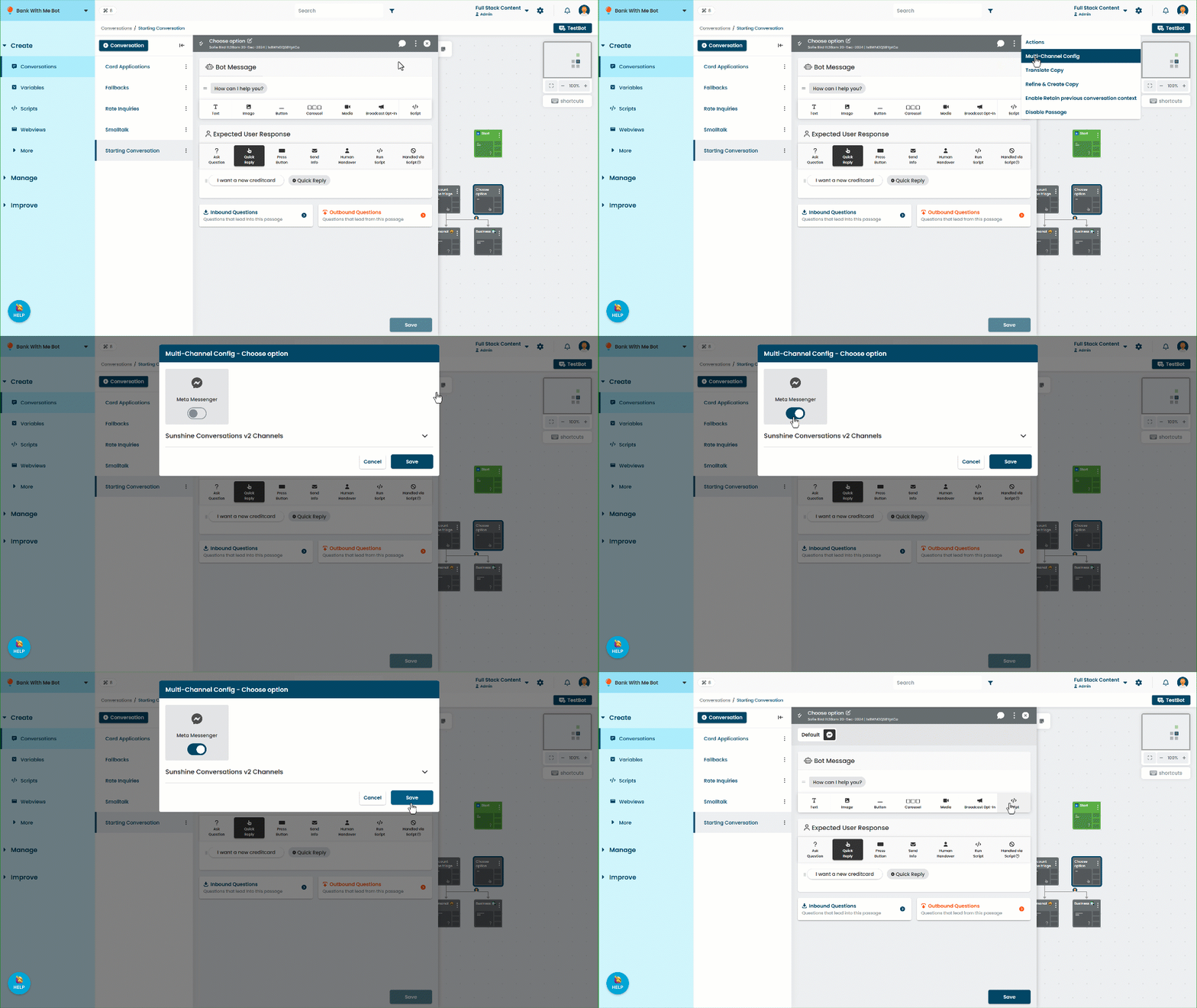
- Click Save.
Only customise what you need to
You don't need to enable every channel your chatbot supports; any channel you don't create custom content for will use the default passage content. Only enable channels where you want to send different message content to the chatbot user, or expect a different response from them.