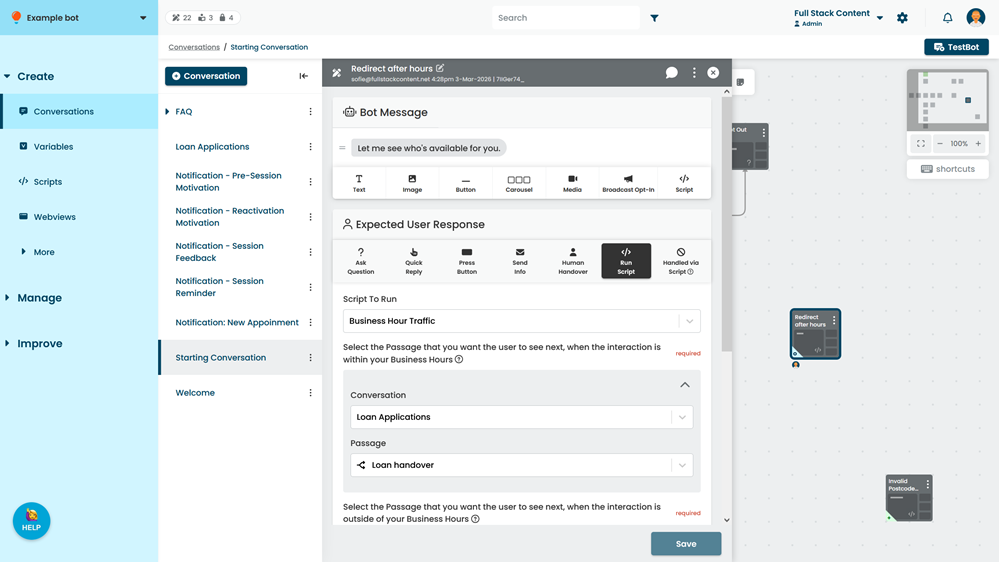
Use this option when you want to run a script immediately after the chatbot user has responded. For example, you want to process their input before starting the next passage.
If you want to run a script before the chatbot user responds, add the script to the bot message.
To run a script:
- Click Create in the left navigation, then click Conversations.
- Click the conversation with the passage you want to edit.
- Click the passage you want to run the script.
- Select the Script to Run.
- Complete any additional information the script needs to run.
These fields are controlled by your script developers. You can hover your mouse over the help icon next to the field name to see an explanation of the field. See Change the values a script uses.
You can configure which passage should start next either in the bot nessage by using a button or within the script itself.