You can rename automated tests at any time. Renaming a test doesn't impact its result sets.
To rename an automated test:
Click Improve in the left navigation, then click Automated Tests.
- Click the automated test you want to rename.
- In the Test Config panel on the left, expand the Test Details section.
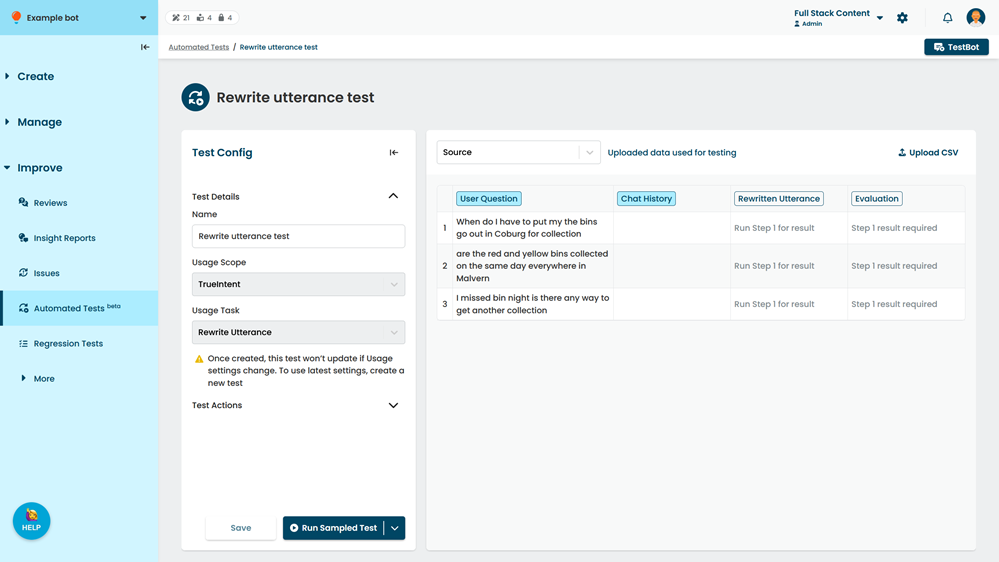
- Type a new Name for the test.
- Click Save.