Download a result set as a CSV to save it or to upload it to another automated test.
The result set includes all the columns displayed in the results but does not include any generated insights or refined prompts.
To download the most recent result set:
- Click Improve in the left navigation, then click Automated Tests.
- Click the menu next to the automated test you want to download results from.
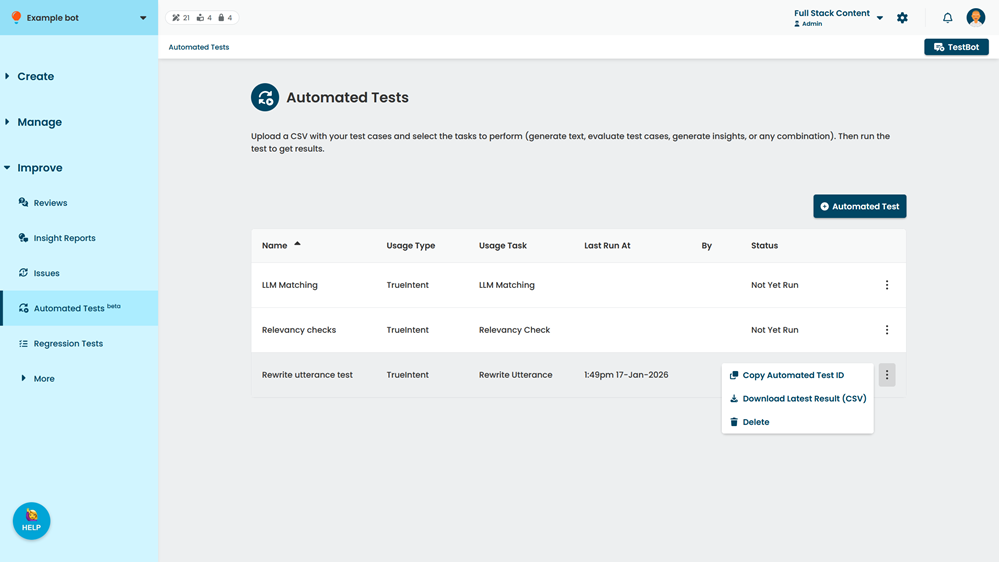
- Click Download Latest Results.
To download an earlier result set:
- Click Improve in the left navigation, then click Automated Tests.
- Click the automated test you want to download results from.
- At the top of the results pane, select the result set you want to download.
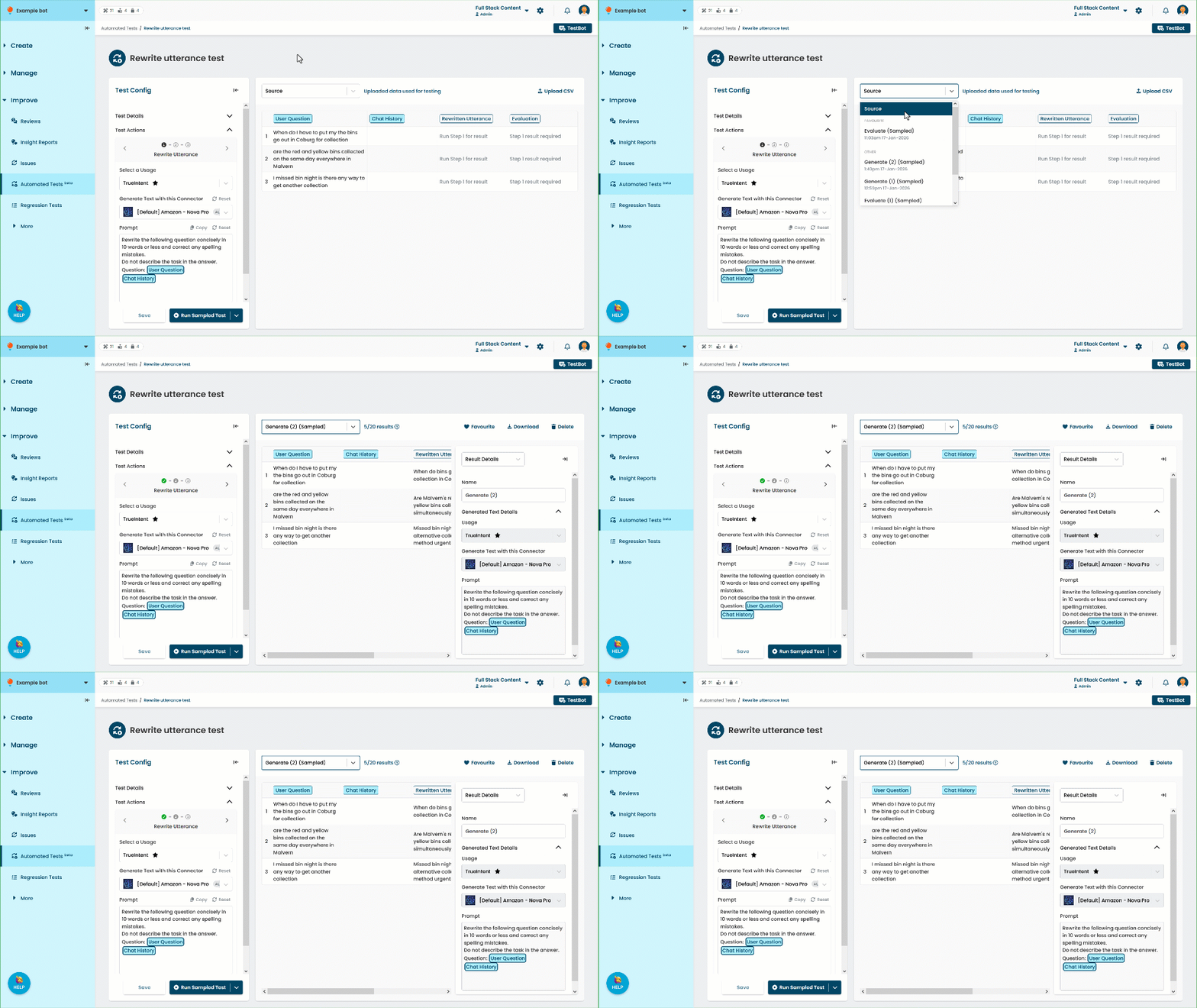
- Click Download.