It's helpful to give your test page a name that briefly describes what the page is testing, such as an alternate style. You can rename test pages at any time.
To rename a test page:
- Click Manage in the left navigation, then click Test pages.
- Click the menu next to the test page you want to rename.
If you want to rename a child page, click the arrow next to the parent test page to expand it, then click the menu next to the child page.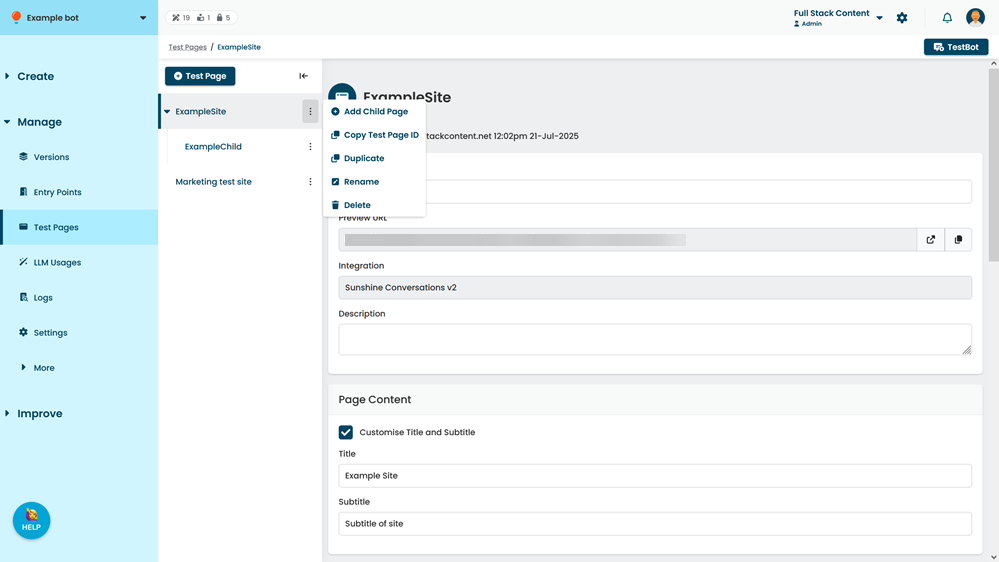
- Click Rename.
- Type the new name of your test page.
- Click Rename.