Delete a test page to delete it and all its child pages from your chatbot. You can also delete individual child pages.
Test pages are not versioned: once you delete a test page, it's gone.
To delete a test page:
- Click Manage in the left navigation, then click Test pages.
- Click the menu next to the test page you want to delete.
If you want to delete a child page, click the arrow next to the parent test page to expand it, then click the menu next to the child page.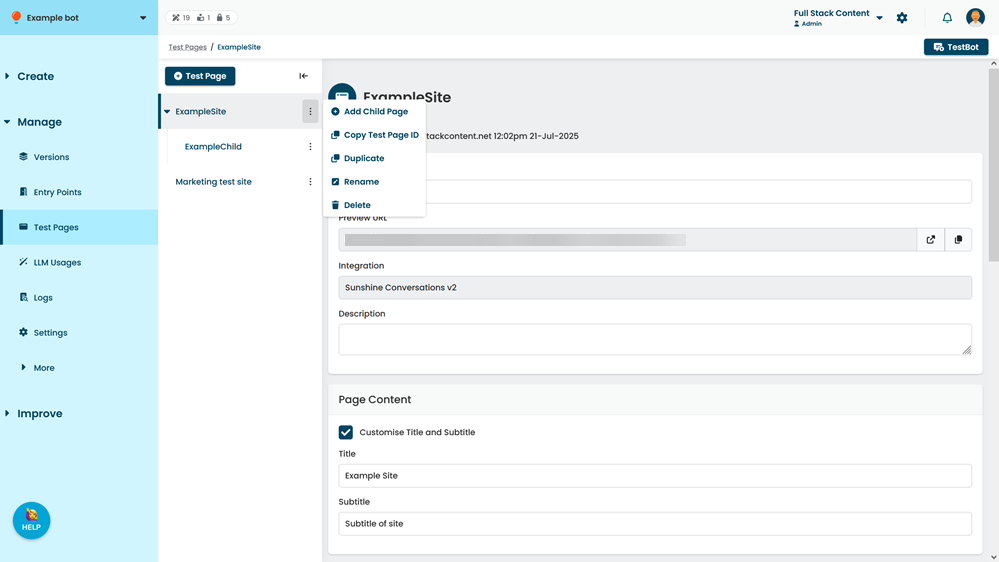
- Click Delete.