Duplicate a test page to make a copy of the test page and all its child pages. Any changes you make to the original test page or child pages will not affect the new test page. You can also duplicate individual child pages.
To duplicate a test page:
- Click Manage in the left navigation, then click Test pages.
- Click the menu next to the test page you want to duplicate.
If you want to duplicate a child page, click the arrow next to the parent test page to expand it, then click the menu next to the child page.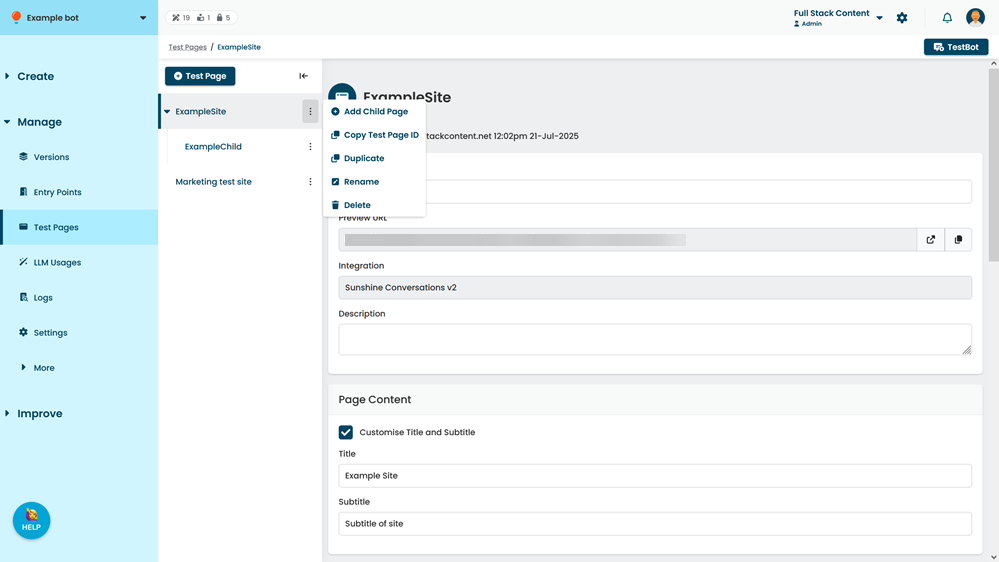
- Click Duplicate.
The duplicate page is created with a default name based on the original test page, but you can rename it.