Now that we've created our entities, we need to create a passage to use them
Entities only have a value within the passage that captures them. Once the chatbot starts another passage, the entity values are gone. To use entities, the passage must have:
- Inbound questions that use all the entities we want to capture.
- A chatbot message that uses the entity placeholder chips in its content.
We'll tackle each of these separately. First, let's create our passage:
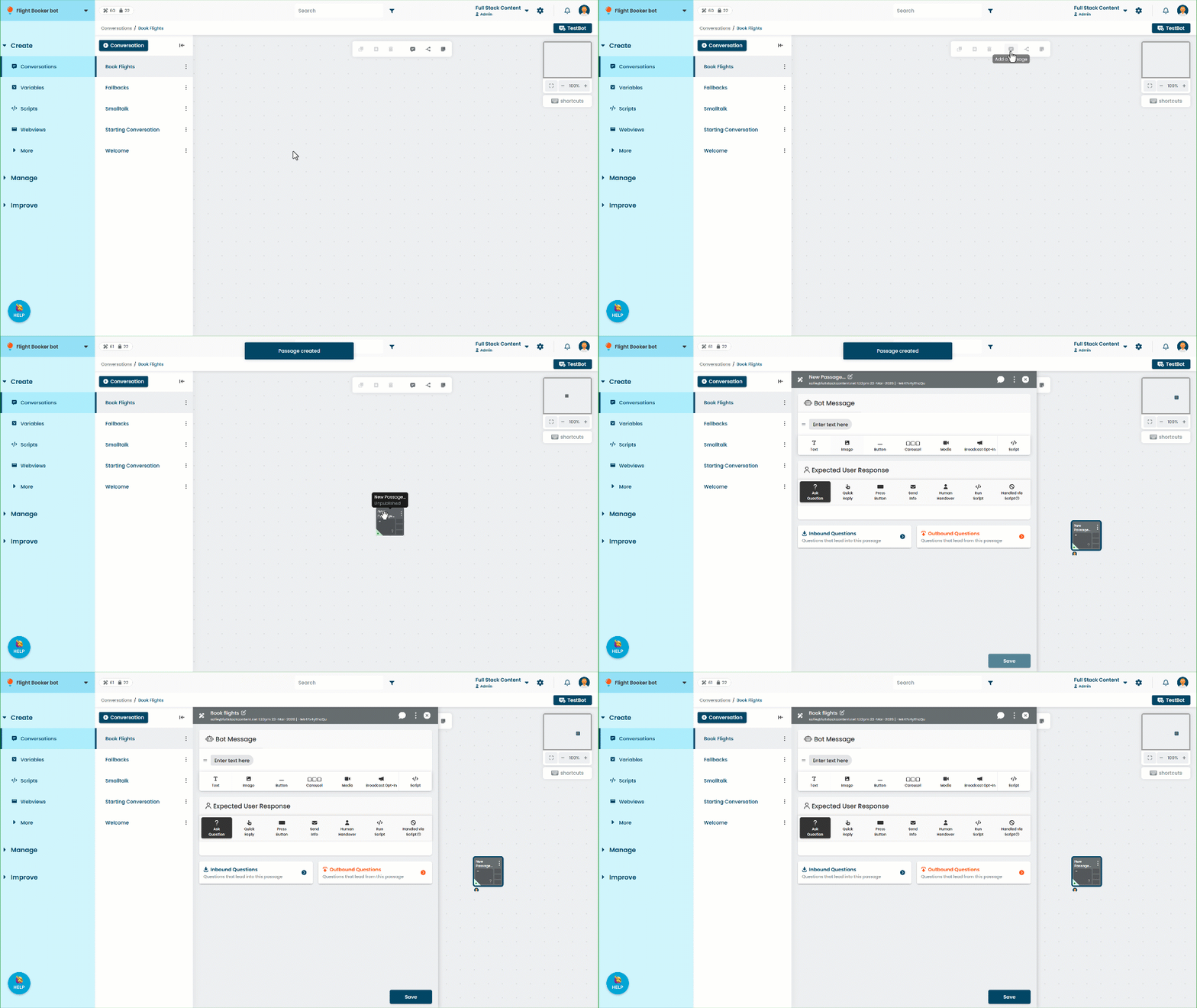
- Click Create in the left navigation, then click Conversations.
- Click the flight bookings conversation.
- Click the passage icon to create a new passage in the conversation.
- Rename the passage to Book flights.
- Click Save.
Now that we have our passage, let's create Inbound Questions to capture the two cities our user mentions.