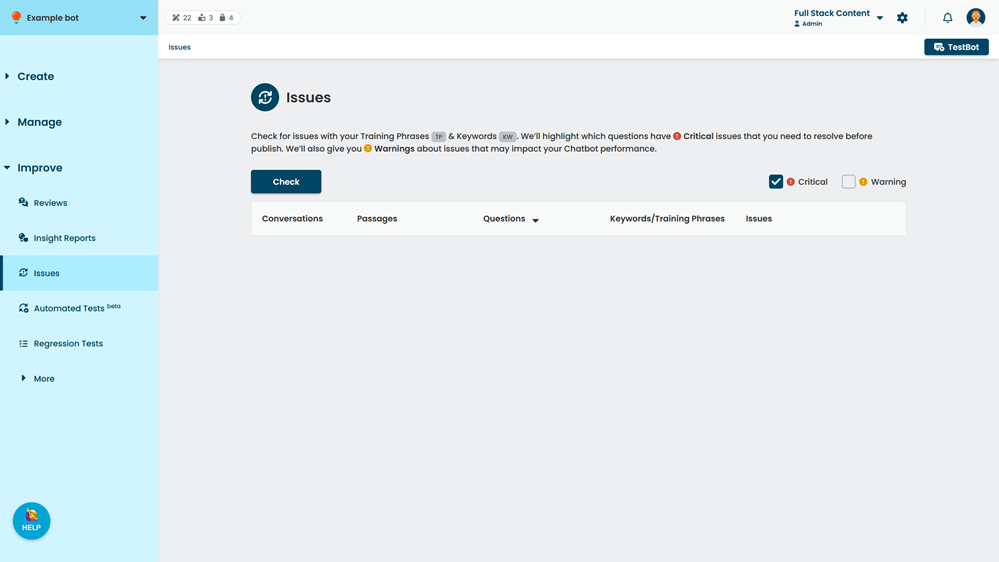
Use the Issues screen to scan your chatbot for issues with your NLP and Keyword questions. You can view:
- Critical issues. These issues will severely impact your chatbot's performance, and may even prevent the chatbot from publishing.
- Warnings. These issues will not prevent your chatbot from publishing, but may impact your chatbot's ability to accurately respond to users.
For example, you may see warnings for questions with too many or too few training phrases, or with training phrases that are too short.
You can:
- Hide and show Critical or Warning issues using the check boxes at the top.
- Open the passage that contains the question in a new tab to make corrections.
Check for issues
Checking your chatbot questions for issues takes up to 20 minutes, depending on the size of your chatbot.
To check for issues:
- Click Improve in the left navigation, then click Issues.
- Click Check.